


System Testing: Meaning, Its Levels, and Types of Software Testing

 16 MIN
 05 Sep 2025
System testing is the phase where we test an entire software system as a whole to ensure everything works in unison. It’s a critical step in software development that validates the software as a complete product against all requirements before it reaches real users. System testing checks if all parts of your application function together exactly as intended.
Table of content
What is system testing in software testing?
System testing is a level of automated testing where the entire software application is tested as a fully integrated system. In other words, instead of testing individual components in isolation, testers evaluate the software product as a whole to verify that all components work together and that the system meets its functional and non-functional requirements.
Imagine assembling a complex jigsaw puzzle: each piece may fit perfectly on its own, but you only know the picture is correct when all pieces work together.
This is typically the third level of testing (after unit and integration testing) and is usually carried out by a QA team in an environment that closely resembles production.
Core principles of system testing
A few core principles define how system testing is approached:
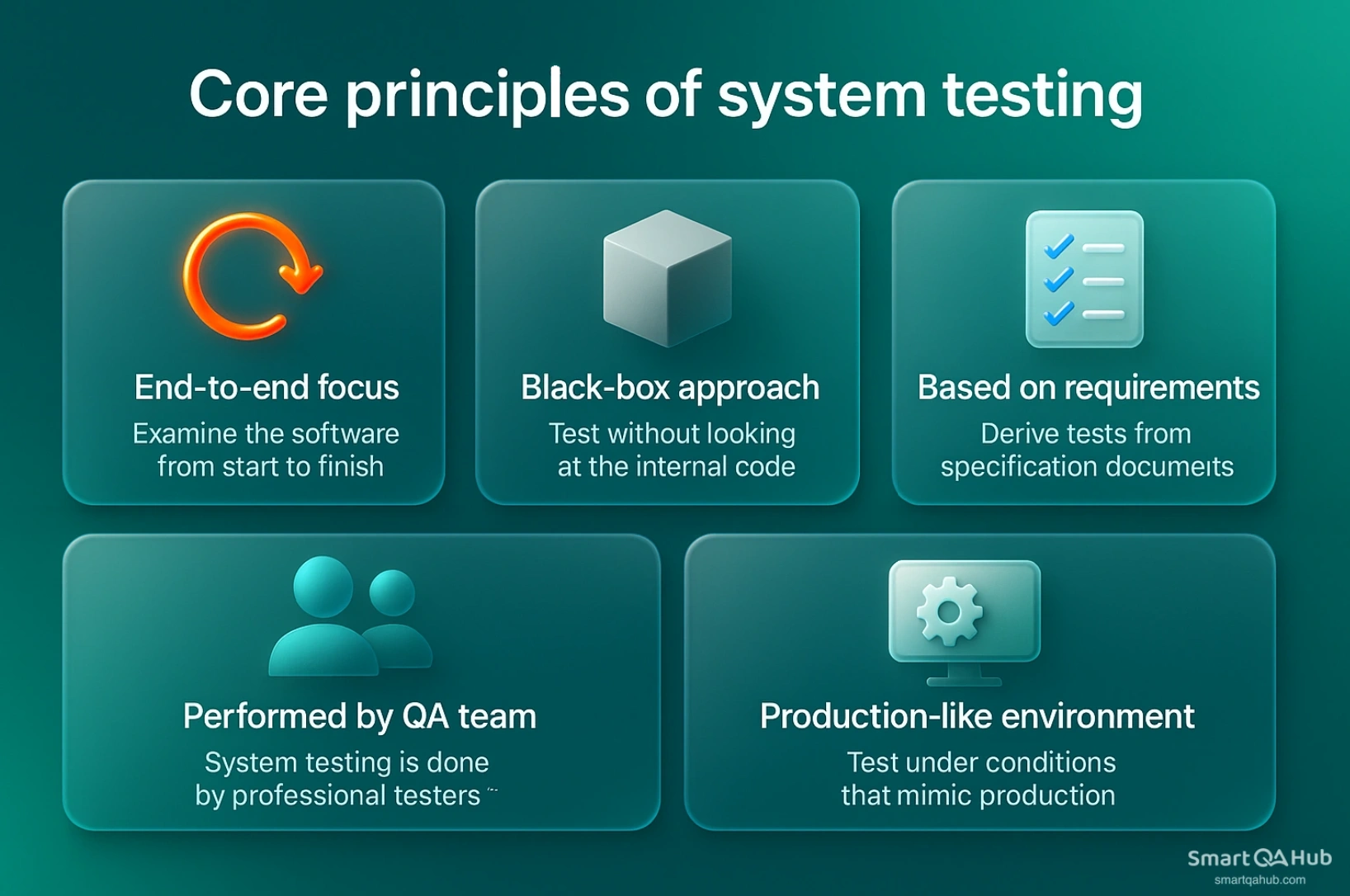
- End-to-end testing: Testers examine the end-to-end behavior of the software, simulating real user scenarios from start to finish. The goal is to confirm that all features and modules work together seamlessly in the final product.
- Black box testing: System testing is usually performed from the external user’s perspective without looking at the internal code. Testers concentrate on inputs and expected outputs for the whole system.
- Based on requirements: Test cases are derived from requirements documentation to ensure the functional and non-functional features like performance, security, usability are all verified.
- Performed by QA team: Unlike unit tests (done by developers), system testing is typically carried out by professional testers or a QA team.
- Production-like environment: A key principle is testing under conditions that mimic the real-world environment. The QA team conducts system testing in a test environment that closely matches the production setup – including using realistic data and system configurations – to uncover any environment-specific issues.
Different types of software testing in the software development lifecycle
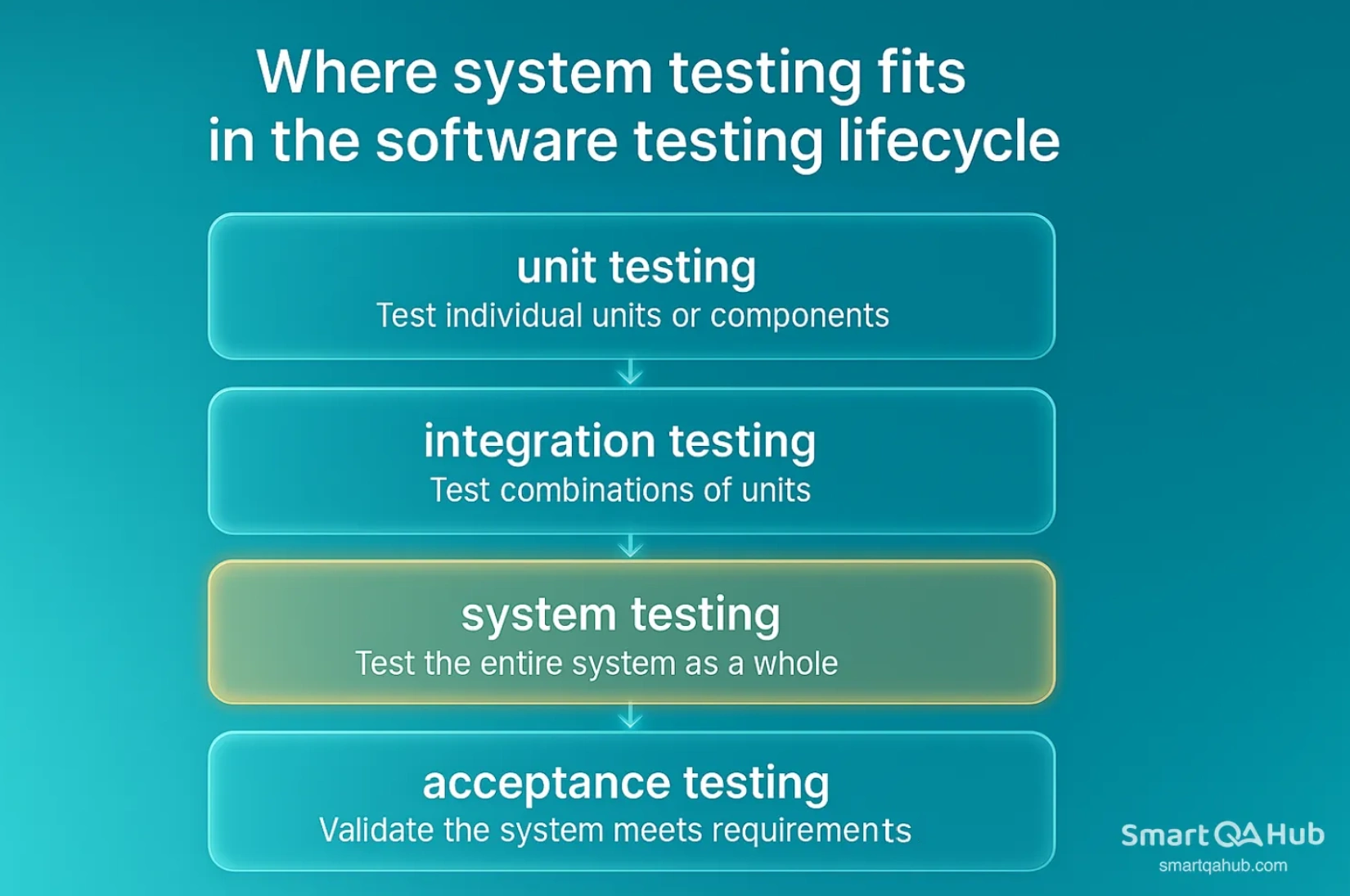
System testing is performed after integration testing and before acceptance testing in the standard software testing lifecycle. To understand its place, let’s briefly recap the typical testing levels:
- Unit testing: The first level, where different software units or software components (like functions or classes) are tested in isolation by developers to ensure each part works correctly.
- System integration testing: After units are validated, integration testing checks combinations of components or modules working together. This level catches interface defects between units – for example, ensuring module A correctly calls module B.
- System testing: Once integration testing is completed on all modules, system testing is performed on the fully integrated system. At this stage, we treat the entire software as a single unit and verify it against all requirements. All modules and components are now in place, so system testing can reveal issues that only emerge when the whole system operates together. It evaluates not just interactions between a few components, but the system’s behavior and performance as one entity.
- Acceptance testing: This is the final level of testing, conducted after system testing. It is often performed by the end users or clients (or a subset of users) to determine whether the software is acceptable for release. Acceptance testing ensures that the software meets the business requirements and is ready for deployment.
In practice, system testing often acts as the bridge between the development-focused tests and the user-focused tests. It is the QA team’s opportunity to validate the entire application in a controlled setting, catching any issues before the product is handed over for user acceptance testing.
System testing vs. other testing types
It’s helpful for beginners to distinguish system testing from other common testing types:
| Testing level | Who performs it | Scope and focus | When used |
|---|---|---|---|
| Unit testing | Developer | Tests individual units of code (e.g. one function). Focuses on isolated functionality, not system interaction. | Early development phase |
| Integration testing | Developer/test engineer | Verifies communication between modules. Still limited in scope (pairs or small groups of units). | After unit testing, before full system build |
| System testing | QA/test team | Tests the entire integrated system against all requirements. Mimics real-world usage from end to end. | After integration testing |
| Acceptance testing | End user or client | Validates that the system meets business needs. Typically covers positive flows and user expectations. | After system testing, before release/UAT |
Table 1: Comparison of unit, integration, system, and acceptance testing phases
The system testing process
System testing typically follows a structured process to ensure all necessary steps are covered. While different teams might have slight variations, the system testing process can be broken down into a few fundamental phases:
- Test planning: The QA team defines the scope, objectives, responsibilities, and success criteria for the upcoming system testing.
- Test design and preparation: Testers create test cases and data based on functional and non-functional requirements to cover realistic user scenarios.
- Test environment setup: A production-like environment is configured, including tools, integrations, and data, to ensure tests run under real-world conditions.
- Test execution: The team runs test cases, logs results, and records any defects found while verifying the system behaves as expected.
- Defect tracking and re-testing: Logged bugs are fixed by developers, then re-tested by QA along with regression checks to ensure stability.
- Test closure: Once the process of testing is complete, the team compiles a summary report, confirms readiness, and reviews lessons learned before moving forward.
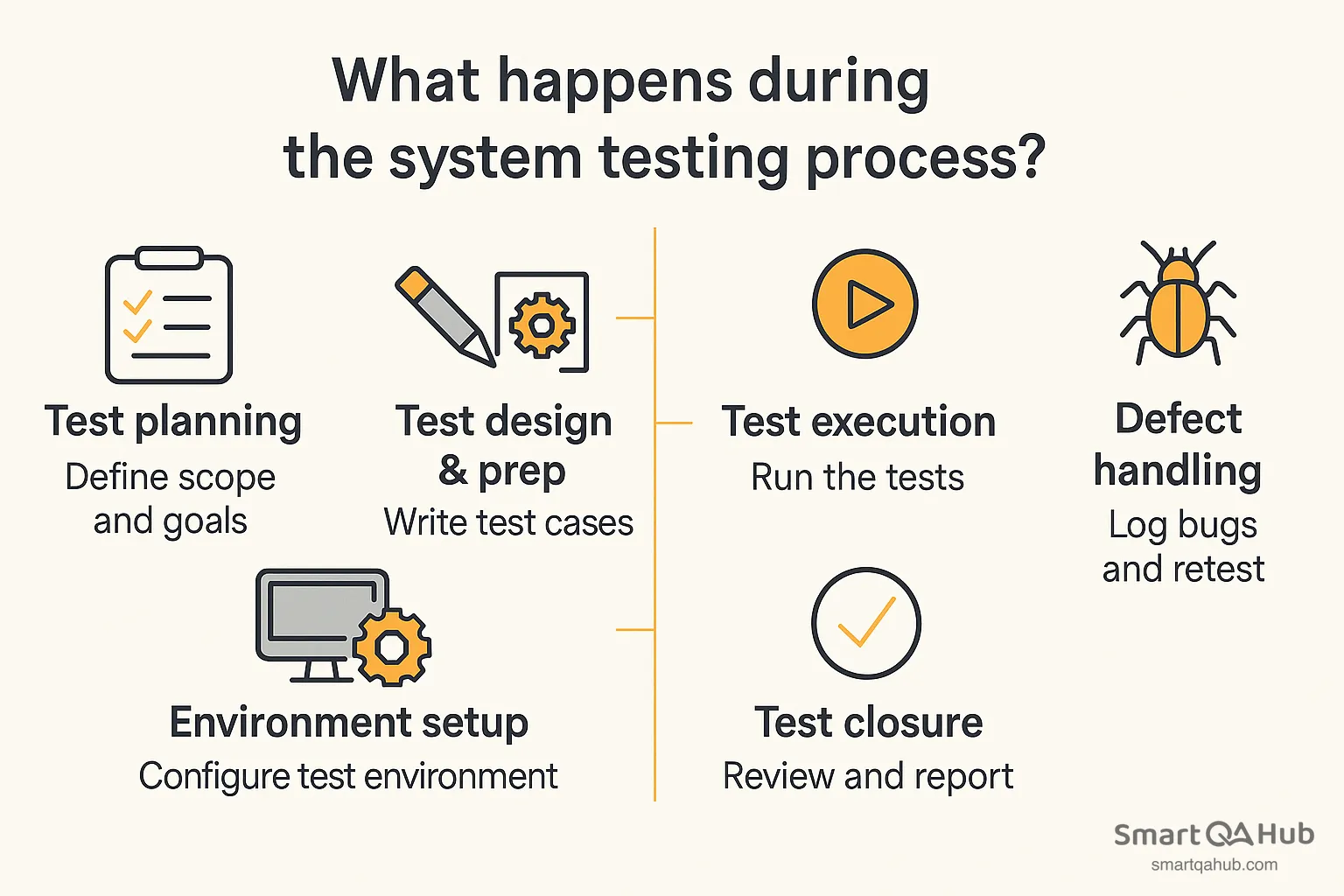
That’s the lifecycle of system testing: plan → prepare → execute → fix & retest → report/close.
Pro tip: Remember that system testing is not just a one-time task but a process that may loop through execution and bug-fixing multiple times until quality criteria are satisfied. Keeping the process organized will help ensure you cover all bases and deliver a well-tested system.
What to verify during system testing?
During system testing, a tester needs to verify a wide range of aspects of the application to ensure it truly meets the end user’s needs and the specified requirements. System testing evaluates the software product from several angles. Key things to verify include:
End-to-end scenarios
Put yourself in the user’s shoes. Follow the complete journey – from login, navigation, performing tasks, to logout. You want to make sure the system flows logically, behaves correctly at each step, and handles full workflows smoothly.
Functional requirements
Does every feature do what it’s supposed to do? Go through the system requirements and confirm that all specified functions behave as expected. This is where you make sure the system works as intended.
Input and output handling
Test how the system handles different types of input: valid data, invalid entries, edge cases, empty fields, and anything unexpected. Are the outputs correct? Are error messages helpful? Does the system fail gracefully, or does it crash?
Non-functional requirements
Beyond just functionality, the system has to meet certain quality standards. Check performance (Is it responsive?), security (Is data protected?), reliability (Does it recover from failures?), and scalability (Can it handle more users or data?). These are critical for real-world use.
System integration
If the application connects to other systems – like APIs, databases, or third-party services – you’ll need to verify that these interactions are stable and correct. Test how the system behaves when external services respond slowly or return errors.
User experience and usability
Even without being a UX expert, you can evaluate the basics. Is the interface intuitive? Is navigation clear? Are instructions understandable? If something confuses you during testing, chances are it will confuse end users too.
In summary, during system testing you verify the system’s functionality, behavior, and performance against its specifications. Some of the most important things to check are that all features deliver the expected results, all parts of the system cooperate correctly, and the system satisfies both the functional and non-functional criteria set out for it.
Types of system testing
System testing isn’t a single technique, but rather a collection of various testing types applied to the complete system. Different aspects of the system may be tested with different approaches. Broadly, these can be divided into functional and non-functional system testing categories. Below, we’ll explore key types of system testing that beginners should be aware of, including some specific focuses like recovery and security testing.
System testing encompasses many types of testing in software to cover both functional and non-functional aspects of the software. The main types include:
- Functional testing: Verifying all features and functionalities of the software against requirements (this includes things like sanity testing, regression testing, and end-to-end scenario testing within system testing).
- Performance testing: Checking how the system performs under various loads (e.g., load testing, stress testing, scalability testing).
- Security testing: Ensuring the system is protected against unauthorized access and data breaches, and that it meets security requirements.
- Usability testing: Evaluating how easy and intuitive the system is for end users.
- Reliability/Stability testing: Seeing if the system runs consistently without crashing and can recover from failures (recovery testing).
- Compatibility testing: Making sure the system works across different environments, browsers, devices, or OS versions as needed.
- Acceptance testing (as a type within system testing context): Though acceptance testing is often separate, some consider user-oriented tests (alpha/beta tests) as part of overall system testing types.
- Installability/Deployment testing: Testing the installation process in the system test environment to ensure deployment will go smoothly.
Functional system testing techniques
Functional system testing is concerned with verifying that the software’s features and functions work correctly and meet the specified requirements. This is essentially about testing “what” the system does. Key techniques and approaches in functional system testing include:
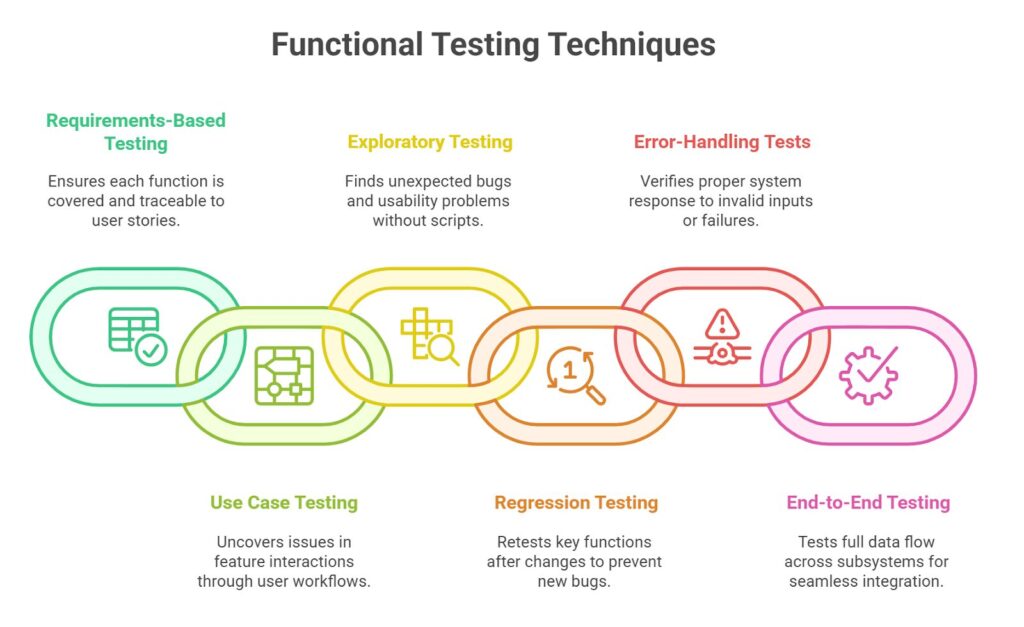
Functional system testing checks whether the application behaves as expected. While there is a lot of manual testing, automation testing is useful for repetitive tasks like regression. Each feature in the requirements should have system tests to verify it, ensuring the system works correctly in all key scenarios.
Non-functional system testing approaches
In addition to functionality, a good system tester must verify non-functional aspects – essentially how the system performs and behaves under various conditions. Non-functional system testing approaches include a range of tests each targeting a specific quality attribute of the system:
- Performance testing: This evaluates how the system behaves under load and how fast it responds. Performance testing can further include:
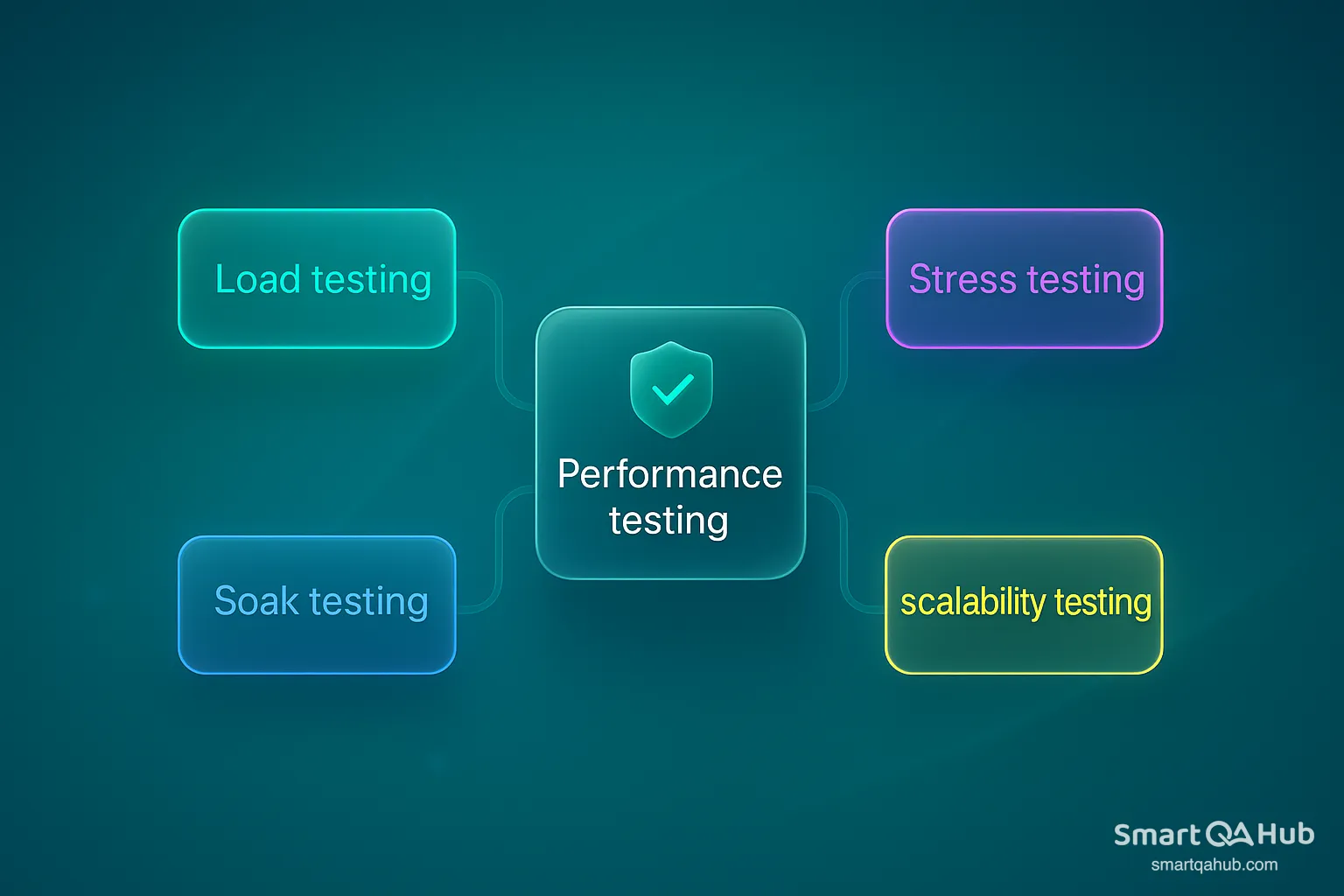
Performance tests are often done with specialized testing tools (like Apache JMeter or similar) and can reveal whether the system meets its speed and stability requirements.
- Security testing: This involves finding vulnerabilities in the system’s protection mechanisms. Security tests might include:
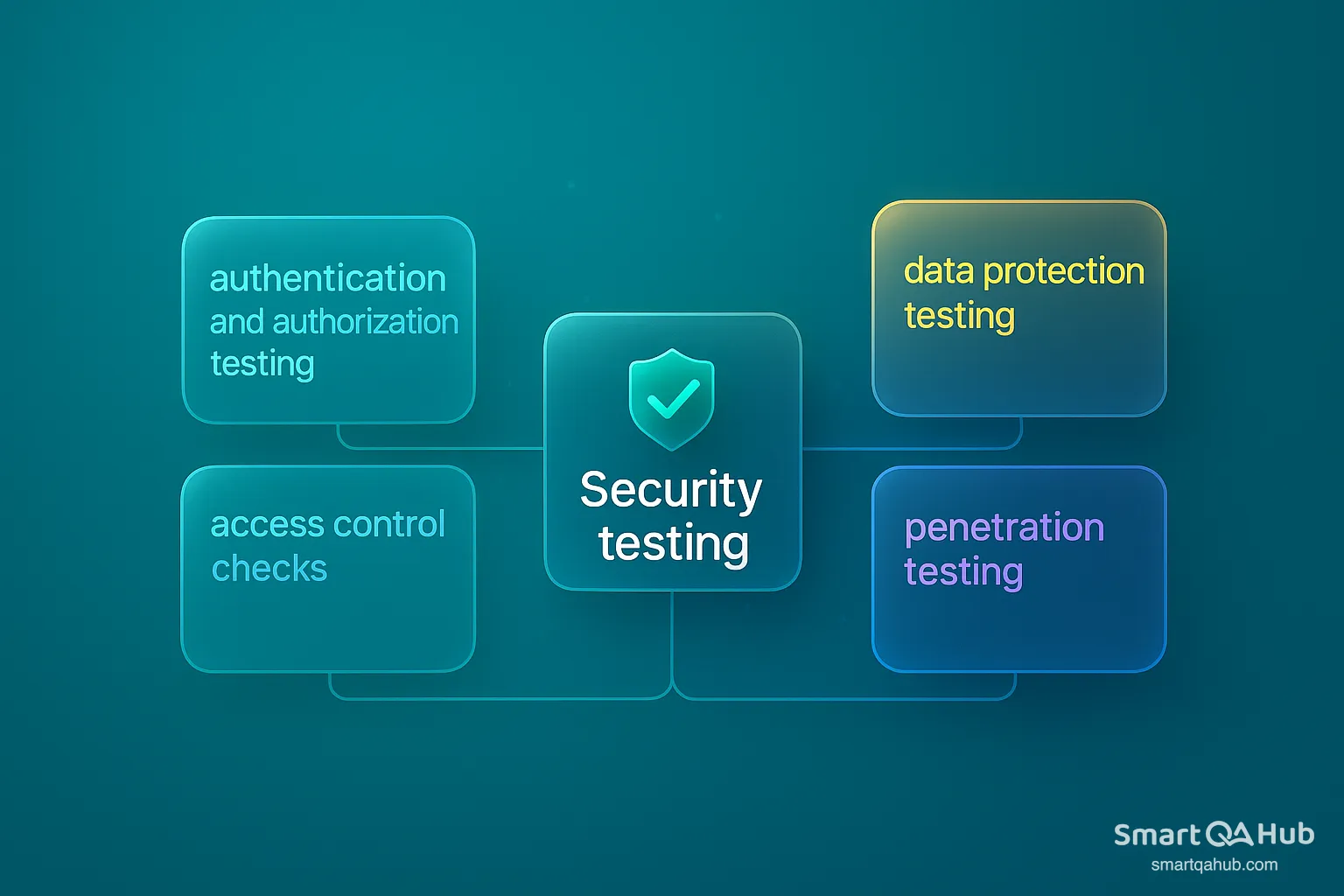
Security testing is crucial, especially if the system handles sensitive information. It ensures the system can prevent unauthorized access and protect user data.
- Usability testing: Check if the app is user-friendly: clear UI, consistent design, and understandable labels. Get feedback from users or team members and report major issues like confusing navigation.
- Compatibility testing: Test the app across different browsers, OSes, and devices to ensure it works properly everywhere (e.g., Chrome, Firefox, Android, iOS).
- Reliability and stability testing: Verify the system runs stably, handles errors gracefully, and recovers after failures (e.g., reconnects after a database outage). Test uptime and recovery capabilities.
- Volume testing: Feed the system large amounts of data to confirm it maintains performance and functionality under heavy load.
Non-functional testing often requires tools and sometimes different expertise (like performance engineers or security experts), but as a beginner QA you should be aware of these types and cover the basics where possible. For example, you might not run a full penetration test yourself, but you could check that password fields don’t accept obvious weak patterns or that session timeouts work.
All these tests are done at the system level because they require the full system to be meaningful (you can’t test “performance” on a single unit alone, for example). The primary goal of non-functional system testing is to ensure the software meets standards for speed, security, usability, reliability, etc., as specified in its non-functional requirements. These attributes greatly affect user satisfaction and system success, so they deserve as much attention as functional tests during system testing.
Recovery and security system testing
Recovery testing checks if the system can recover from failures like crashes, power loss, or network issues. You simulate problems and see whether the system restarts properly, maintains data integrity, and meets recovery time goals. It’s essential for systems that require high reliability, like banking or healthcare.
Security testing focuses on protecting the system from unauthorized access and data breaches. Test login, input validation, access control, and encryption. Check that error messages don’t leak sensitive info. Even basic tests – like trying invalid logins or injecting malicious input – help spot vulnerabilities early.
Including recovery and security tests in system testing ensures your software is not just functional, but also resilient and secure.
Advantages and disadvantages of system testing
| Advantages | Disadvantages |
|---|---|
| Validates the entire system against requirements – Ensures the product meets all specified needs and behaves as expected. | Time-consuming and extensive – Wide scope and many test cases take significant time. |
| Identifies issues in end-to-end workflows – Catches problems across integrated components. | Requires complex environment and setup – Realistic testing needs full infrastructure. |
| Ensures performance and security under real conditions – Simulates real-world usage to find weaknesses. | Debugging can be difficult – Failures often involve multiple components. |
| Builds confidence in system readiness – Increases assurance before release. | Can delay delivery if issues are found late – Major defects can push back launch. |
| Supports user satisfaction and reputation – Well-tested systems result in fewer issues post-release. | Not all scenarios can be tested – Rare or complex edge cases may remain undetected. |
| Requires skilled testers and coordination – Demands expertise and cross-team collaboration. |
Optimizing your system testing approach
To get the most out of system testing while managing its challenges, consider these best practices and optimization strategies:
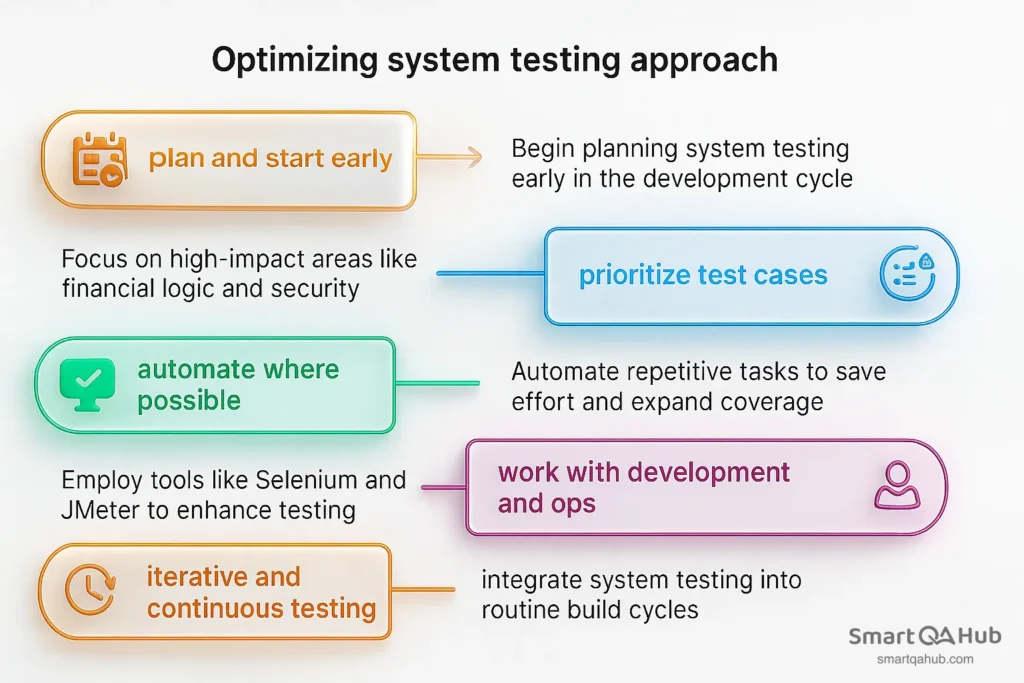
By following these approaches, you can mitigate the challenges of system testing. The idea is to make system testing as efficient as possible without sacrificing effectiveness: test smarter, not just harder.
System testing vs. acceptance testing
New testers often get confused between system testing and acceptance testing, since both involve testing the application or software as a whole. However, these two levels of testing serve different purposes, involve different people, and occur at different stages in the project. Let’s break down the key differences between system testing and acceptance testing, discuss when to use each, and see how they complement each other in the testing lifecycle.
Key differences between system and acceptance testing
Here are the main differences between system testing and acceptance testing:
| Aspect | System testing | Acceptance testing |
|---|---|---|
| Who performs it | QA team or internal testers | End users, client reps, or business stakeholders |
| Purpose & focus | Verify system meets all technical requirements (functional + non-functional) | Confirm software meets user needs and business goals |
| Testing scope | Full scope including edge cases, performance, reliability | Focused on real-world, high-priority functional scenarios (“happy path”) |
| Lifecycle phase | After integration testing, before acceptance testing | Final phase before release or delivery |
| Test basis | Technical specs, design documents | Business requirements, user stories, acceptance criteria |
| Defect outcomes | Issues logged as internal bugs to be fixed | Issues may block release or require contract renegotiation |
| Test environment | Controlled, QA-owned environment simulating production | Staging/UAT environment, often managed or used by the customer |
| Documentation | Internal test plan, execution reports, exit criteria | Acceptance plan or contract-defined acceptance criteria and sign-off docs |
| Overall goal | Ensure the product is built right | Ensure the right product has been built for the user |
How system and acceptance testing support each other in the lifecycle
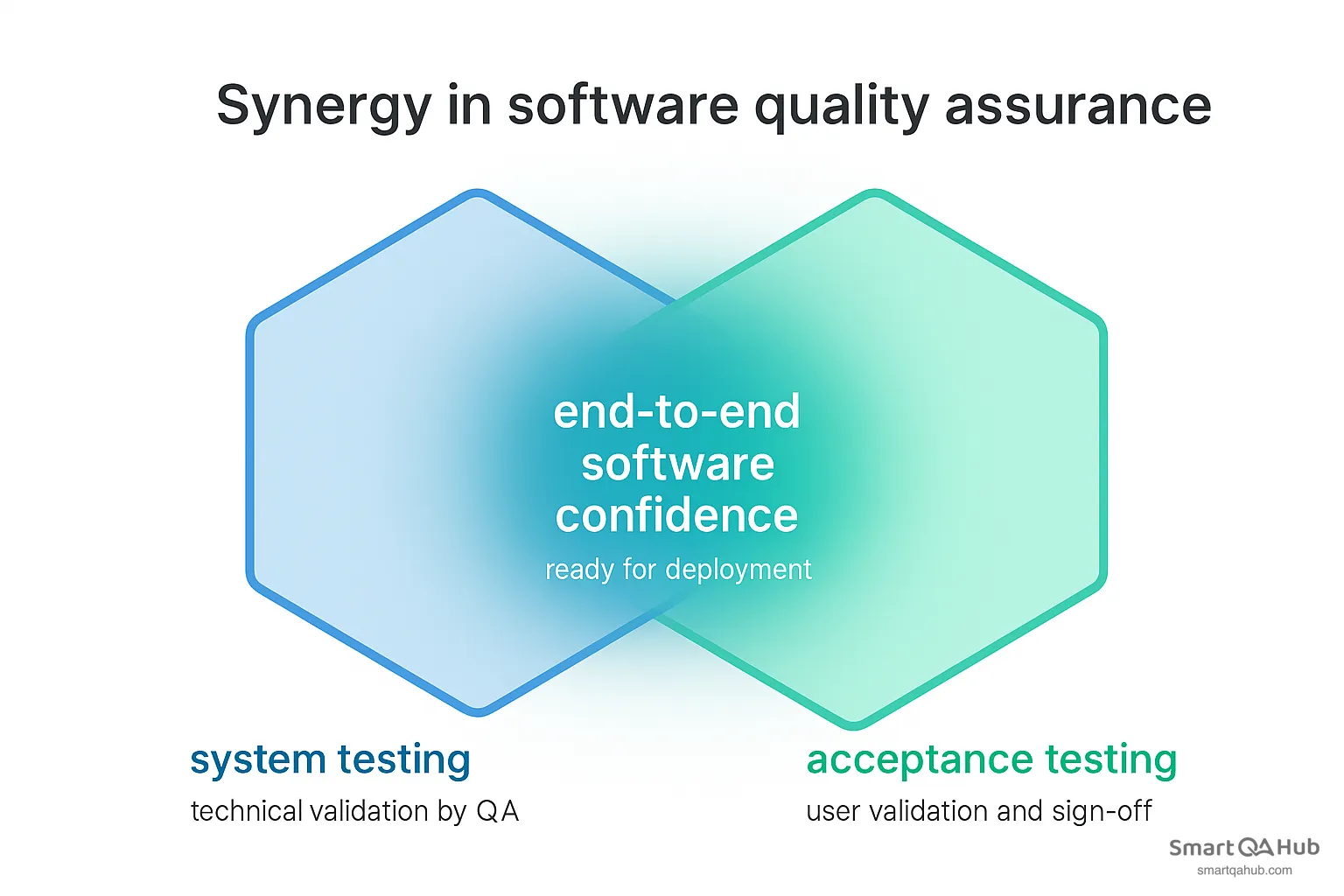
System testing and acceptance testing work together to improve software quality. System testing verifies if the product meets technical requirements. Acceptance testing, done by users, confirms it meets business and real-world needs.
They offer different perspectives but share the same goal: to ensure the product is both built correctly and is the right solution. Feedback from acceptance testing can lead to further system tests, creating a useful quality loop. Together, they provide full coverage – from internal behavior to user experience.
FAQ: Frequently asked questions about system testing
What is the meaning of system testing in software development?
How long should system testing take in a typical project?
Who is responsible for conducting system testing?
What are the different techniques of system testing?
How is system testing different from user acceptance testing?
What documentation is needed for system testing?
System testing ensures quality before software goes live
System testing checks that the entire application works correctly as a complete system. It helps catch issues that only appear when all components interact and covers both functional and non-functional aspects.
By simulating real scenarios and prioritizing key flows, teams gain confidence before release. It’s not a one-time task, but a repeatable process that protects quality as the software evolves.


