


Keyword Driven Framework for Building Maintainable Test Automation

 15 MIN
 12 Sep 2025
Keyword driven framework separates logic from scripts, so you focus only on what the test should do. You write tests using easy-to-read keywords instead of code. That means faster updates when the app changes and fewer bugs slipping through. It’s a clear, confidence-boosting approach for anyone learning test automation from scratch.
Table of content
A keyword-driven automation framework is a smart way to separate what you want to test from how the test runs. With this keyword-driven testing approach, automated tests are easier to maintain. Even if the software changes – like a new operating system or a different screen layout – you don’t need to rewrite all your tests. You just update the keywords that describe each test step.
This article will explain why a keyword-driven framework is great for people who aren’t programmers. Each test action is defined as a keyword, making it much easier to create, manage, and update automated tests. Whether you’re new to testing and automation or want to improve your current setup, using a keyword-driven automation framework helps you build tests that are simple to maintain and cover almost 80% of your software testing needs.
What is keyword driven framework?
A keyword-driven testing framework (KDT) is a powerful way to create automated tests that are easy to maintain and adapt. It separates test design from test execution, allowing teams to focus on what to test rather than how the test runs.
In a KDT framework, test case instructions and data are kept separate from the actual test execution. The framework uses business-friendly keywords to describe actions in terms of user workflows instead of technical operations. This makes it easier for non-technical team members to understand and use the tests effectively.
One of the biggest advantages of keyword-driven testing is reusability. About 60% of keywords can be reused across different test cases, speeding up test development and improving efficiency throughout the software testing cycle.
The elements of a KDT framework are:
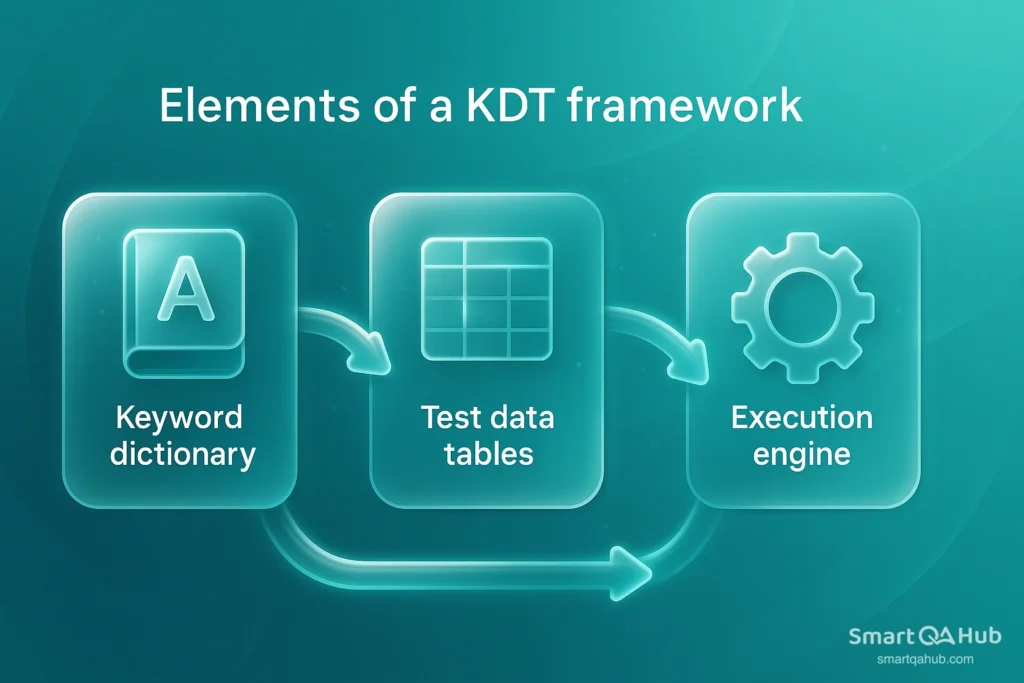
- Keyword dictionary: This is a collection of predefined actions or keywords that represent steps in a test, such as “login,” “click button,” or “enter text.” Testers combine these keywords to build complete test cases without needing to write code, making tests easier to understand and maintain.
- Test data tables: These store input data separately from the test scripts, allowing testers to modify test data without touching the test logic. The same test can be run with multiple data sets, which helps keep tests organized and reduces duplication.
- Execution engine: This is the part of the framework that interprets the keywords and performs the actual automated actions. It maps each keyword to the corresponding code or function, ensures tests run in the correct sequence, and handles reporting. This allows the test cases to remain high-level and readable, while the engine manages the technical execution.
Difference between keyword driven testing and traditional scripting
| Aspect | Traditional Scripting | Keyword Driven Testing (KDT) |
|---|---|---|
| Technical knowledge required | Testers need extensive programming skills to write and maintain scripts. | Functional testers can create automated tests using simple, non-code keywords. |
| Test creation process | Usually a two-step testing process: testers create manual testing cases, then automation engineers convert them to scripts. | Testers can create automated cases directly using keywords without coding. |
| Maintenance effort | Any change in the application often requires updating each affected script individually. | Minimal updates needed; changing keyword implementation updates all test cases using it. |
| Early-stage automation | Limited, because scripts are usually created after the application is functional. | Test cases can be developed before the application is fully built, helping detect issues earlier. |
| Collaboration | Mainly technical team members handle automation; non-technical staff contribute less. | Easier collaboration: business analysts and subject matter experts create test cases with keywords, developers handle the technical logic. |
| Efficiency & scalability | Time-consuming and harder to scale; maintenance is high. | More maintainable, reusable, and efficient, reducing maintenance by up to ~70%. |
| Alignment with business requirements | Risk of mismatch if automation scripts do not fully reflect business logic. | Keywords reflect business workflows, ensuring automated tests match requirements. |
What does KDT stand for in testing? Benefits of KDT
KDT stands for keyword driven testing – and it’s one of the most popular approaches in test automation today. Why? Let’s look at why teams love KDT:
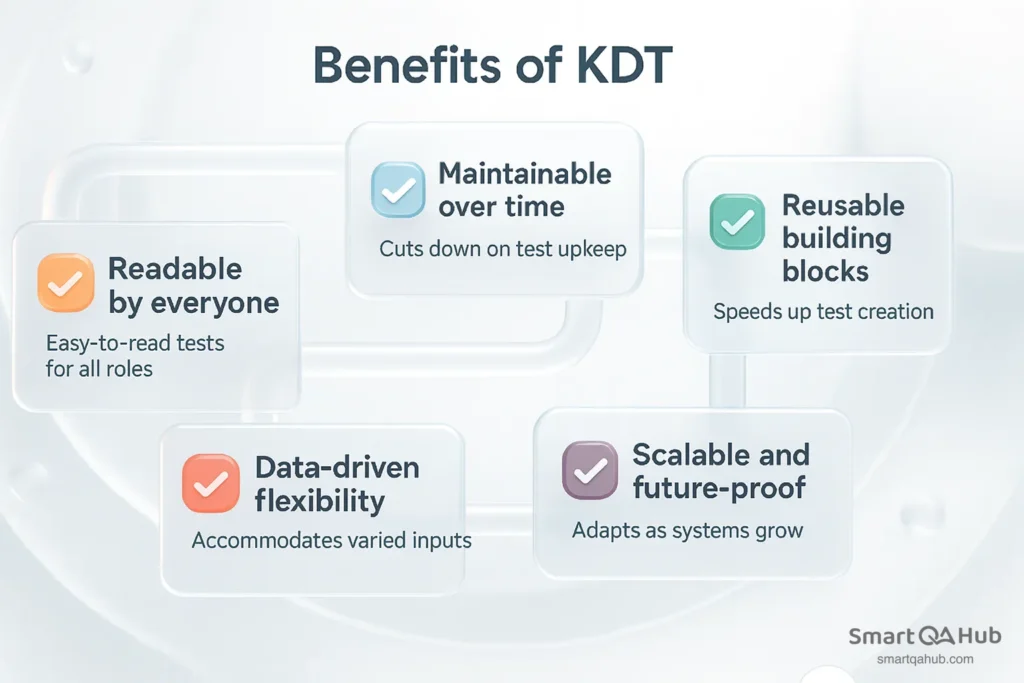
1. Readable by everyone
KDT turns automation into a common language. Instead of cryptic scripts, your test cases look like easy-to-read instructions:
OpenBrowser → NavigateTo → EnterText → ClickButton → VerifyText
Even non-technical stakeholders can follow along and validate what’s being tested. This boosts collaboration across testers, developers, and business analysts.
2. Maintainable over time
When the application changes (and let’s be honest, it always does), you don’t need to rewrite dozens of tests. Change the keyword function or update the test object locator in one place, and every test that uses it adapts automatically. Maintenance costs drop dramatically, and your automation suite stays healthy even as your software evolves.
3. Reusable building blocks
Because keywords are modular, they can be reused across multiple test cases. For example, the same Login keyword can be used for dozens of different scenarios: “Login as Admin,” “Login as Customer,” “Login with Invalid Password.” Reuse means faster test creation and fewer chances of introducing errors.
4. Data-driven flexibility
KDT combines naturally with data-driven testing. Once you’ve defined your test flow with keywords, you can feed it multiple datasets — different users, environments, or configurations — without rewriting the test. One test design becomes hundreds of executions.
5. Scalable and future-proof
Because KDT separates the what (test steps) from the how (implementation code), your framework scales with your application. Adding a new keyword is straightforward, and your old tests don’t break. Whether you’re testing a small web app or a complex enterprise system, KDT adapts.
Core components of a keyword driven testing framework
Power of KDT lies in its modular components, each performing a specific role in the automation workflow. Let’s dive into the core components that make KDTF robust, flexible, and easy to maintain.
1. Keyword library
The keyword library is the heartbeat of a keyword-driven testing framework. It’s a collection of reusable functions or methods for each action keyword.
Examples of common keywords:
| Keyword | Action |
|---|---|
| OpenBrowser | Launches a specified browser (Chrome, Firefox, etc.) |
| InputText | Enters text into a designated field |
| ClickButton | Clicks a button or link on the application |
| VerifyText | Compares expected and actual text displayed on the UI |
Key points:
- Keywords are implemented in a programming language like Java, Python, or C#.
- Testers don’t need to know the code; they simply use the keyword in test scripts.
- This separation allows developers or automation engineers to maintain the functions, while testers focus on designing test scenarios.
Example scenario:
If you want to test login functionality:
- You might write in your test script:
OpenBrowser | Chrome
InputText | usernameField | testuser
InputText | passwordField | Pa$$w0rd
ClickButton | loginBtn
VerifyText | welcomeMsg | Welcome!f, seed, [])
}
The engine executes each keyword by calling the corresponding function from the library.
2. Keyword test scripts / test cases
In keyword driven testing, test cases are usually stored in Excel sheets, CSV files, or databases. Each row represents a single step in a test case.
Columns typically include:
| Column | Purpose |
|---|---|
| Test Case ID | Unique identifier for each test case |
| Keyword | Action to perform (from the Keyword Library) |
| Object | UI element or object to interact with |
| Test Data | Input values or expected output |
This approach makes tests readable, so even non-technical stakeholders can understand the steps. It also ensures that tests are maintainable, as you can update the test logic directly in the spreadsheet without touching the underlying code. Finally, the framework is reusable, because the same keywords can be applied across multiple test cases, reducing duplication and speeding up test creation.
3. Execution engine
The execution engine is the brain of the framework. Its job is to:
- Read the test script row by row.
- Identify the keyword in each step.
- Call the corresponding function from the keyword library.
- Pass the necessary parameters (object and test data).
- For example, when the engine reads:
Keyword: ClickButton
Object: loginButton
Data: (none)
…it will call the function clickButton(“loginButton”) from the library and execute it against the application under test.
The engine ensures that the framework is flexible and can interpret any valid keyword from the test script.
4. Object repository
Every automated test needs to know where to find elements in the application. That’s what the object repository is for.
- It stores all the locators (ID, XPath, CSS selector, element name, etc.) in a central place.
- When a keyword like ClickButton or InputText is executed, the engine looks up the object name in the repository to find its locator.
This makes maintenance much easier. If a developer changes the ID of a login button, you don’t have to update dozens of test cases — you just update the locator in the repository.
5. Test data files
One of the strengths of keyword driven testing is the ability to separate test data from test logic.
- Test data can live in Excel sheets, CSVs, JSON, XML, or even a database.
- The same test logic (e.g., login flow) can be executed with multiple sets of data (different usernames, passwords, and roles).
This introduces a data driven layer into keyword-driven testing, making the framework even more powerful.
6. Reporting module
No test framework is complete without reporting. After test execution, the framework should provide clear and actionable reports.
A good reporting module typically includes:
- Test cases passed and failed.
- Execution time and duration.
- Step-by-step logs.
- Screenshots for failed steps.
- Error messages or stack traces.
Many modern frameworks integrate with reporting libraries like ExtentReports, Allure, or custom HTML reports, so testers and managers can quickly understand the outcome.
7. Configuration files
Finally, you’ll need configuration files to manage settings. These files tell the framework how and where to run tests. They typically include:
- Browser type (Chrome, Firefox, Edge)
- Application URL
- Timeout values
- Environment settings (staging, production, QA)
Common formats are .properties, .yaml, or .json. By externalizing configuration, you make the framework adaptable across environments without rewriting code.
How to implement a keyword-driven framework
Building an automation keyword driven framework needs good planning and a well-laid-out approach. Let’s look at the practical steps to create a strong automation keyword driven framework after analyzing its core parts.
Step 1: Define reusable keywords
A good keyword dictionary starts with identifying both low-level and high-level keywords. Low-level keywords are single-step actions like ‘click’, ‘enterText’, or ‘verifyElement’ that serve as automation building blocks. High-level keywords combine multiple low-level actions to handle complex tasks such as ‘login’ or ‘createAccount’.
Your original focus should be on grouping keywords into three main types:
- Action keywords – perform operations on GUI elements (click, enterText, select)
- Utility keywords – handle supporting operations (waitForElement, retrieveData)
- Sequence keywords – combine multiple actions to execute complete business processes
The quickest way is to start with a complete brainstorming session to identify all possible actions needed for your application testing. You should document these in a well-laid-out format that defines each keyword’s purpose and expected behavior clearly.
Step 2: Create keyword test cases using tabular format
After defining keywords, the next step is organizing your test cases in a tabular format, typically using Excel or CSV. Each row represents a single test step with columns for the keyword, target element, and parameters.
A simple test case might look like this:
| Step | Keyword | Target Element | Parameters |
|---|---|---|---|
| 1 | openBrowser | Chrome | |
| 2 | navigateTo | URL | https://example.com |
| 3 | click | //a[@id=’signin’] | |
| 4 | enterText | //input[@id=’email’] | username |
| 5 | enterText | //input[@id=’password’] | password |
| 6 | click | //button[@id=’login’] |
This tabular approach helps both humans and machines read test cases. Non-technical team members can create and modify tests without programming knowledge. Test cases stored separately from implementation provide flexibility for future changes.
Step 3: Map keywords to automation functions
The core team needs to connect abstract keywords to actual code implementations. A function library should contain testing methods that match each keyword in your dictionary.
Example function implementations in Java:
public void click(String targetElement) {
    driver.findElement(By.xpath(targetElement)).click();
}

public void enterText(String targetElement, String value) {
    driver.findElement(By.xpath(targetElement)).sendKeys(value);
}

public void waitForElement(String targetElement, int timeout) {
    new WebDriverWait(driver, Duration.ofSeconds(timeout))
        .until(ExpectedConditions.visibilityOfElementLocated(By.xpath(targetElement)));
}
You can also maintain constants and utility classes for reusable values and helper functions:
public class Constants {
    public static final String URL = "https://example.com";
    public static final String EXCEL_PATH = "/path/to/testcases.xlsx";
}
Separating keywords from their implementation allows technical engineers to maintain code, while testers focus on designing test scenarios.
Step 4: Execute automated tests with the automation test engine
The automation engine is the core part of a keyword driven framework example that connects your test design with the actual execution. Its role is to process test steps, interpret keywords, perform actions, and record results, all without requiring testers to modify the underlying code.
How the automation engine works:
- Load test cases
Retrieve test steps and data from a structured source, such as Excel, CSV, JSON, or a database. Each entry represents a single action in the test.
- Interpret keywords
For each step, determine which keyword action needs to be performed.
- Retrieve targets and parameters
Collect any required information, like UI element locators or input data, from the object repository or test data files.
- Perform the action
Execute the corresponding function from the keyword library. This could include clicking buttons, entering text, verifying values, or any custom action defined in the framework.
- Log results
Record whether the step passed or failed, capture error messages, and optionally take screenshots or other evidence for reporting.
- Handle errors gracefully
Ensure that one failed step does not crash the entire execution process. Failures are logged and the engine can continue with remaining steps if appropriate.
Example:
load test_steps from test_data_source

for each step in test_steps:
    keyword = step.keyword
    target = step.target
    parameters = step.parameters

    try:
        execute(keyword, target, parameters)
        log(step, "PASS")
    except Exception as e:
        log(step, "FAIL", e)
        continue_or_stop(e)

generate_final_report()
The main goal of a keyword driven automation framework example is separation of concerns. Test cases remain independent from implementation details, allowing non-technical users to create tests while technical users manage the framework infrastructure.
Popular testing tools supporting KDT frameworks
Since KDT is more of a design approach than a single product, you usually build it on top of an existing automation tool. Here are some of the most popular ones for a keyword driven test automation framework example:
1. Selenium
- What it is: Open-source framework mainly for web automation.
- How it fits KDT: You can implement a KDT framework by combining Selenium with Excel/CSV sheets and a custom-built driver script. Keywords map to Selenium commands (e.g., click, sendKeys, navigateTo).
- Example: Many teams create their own keyword libraries in Java or Python with Selenium framework as the automation engine.
2. Appium
- What it is: Open-source test automation tool for mobile apps (Android & iOS).
- How it fits KDT: Appium commands can be abstracted into reusable keywords like tap, swipe, or verifyText. Test data can be stored in external sheets, while Appium executes the actions.
3. UFT (Unified Functional Testing, formerly QTP)
- What it is: Commercial tool from Micro Focus.
- How it fits KDT: UFT has built-in keyword-driven testing support. Testers can create tests using a GUI-based keyword view without writing much code. It’s considered one of the earliest “ready-to-use” KDT tools.
4. Robot Framework
- What it is: Open-source automation framework written in Python.
- How it fits KDT: Robot Framework is keyword-driven by design. It uses human-readable plain text (or tabular format) where each test step is a keyword. It also supports libraries (SeleniumLibrary, AppiumLibrary, etc.) to extend automation capabilities.
5. Ranorex
- What it is: Commercial automation tool for web, desktop, and mobile apps.
- How it fits KDT: Ranorex offers keyword-driven modules where testers can create reusable building blocks without heavy coding.
6. Katalon Studio
- What it is: Automation platform supporting API, mobile, desktop and web testing.
- How it fits KDT: Katalon combines keyword-driven and data-driven testing approaches out of the box. It provides a library of built-in keywords and allows custom keyword creation.
FAQ: Frequently asked questions about the keyword-driven testing
What are the main benefits of using a keyword driven framework for test automation?
How does a keyword driven framework improve test script maintenance?
What are the core components of a keyword-driven automation framework?
How can test modules be designed for better maintainability in a keyword driven framework?
What steps are involved in implementing a keyword-driven automation framework?
Leveraging KDT for sustainable test automation
The keyword driven automation framework transforms test automation from a fragile, code-heavy process into a resilient, business-aligned system. By abstracting actions into reusable keywords and organizing tests around real business workflows, it ensures that automation remains relevant even as the application changes.
This approach not only reduces the technical barrier for participation but also fosters stronger collaboration between testers, developers, and business analysts. With its emphasis on modularity, clarity, and scalability, KDT provides teams with a sustainable way to expand coverage, accelerate feedback, and maintain quality without being bogged down by constant rewrites. In an environment where agility and reliability are equally critical, KDT delivers both.


