


Security Testing: Types, Pen Tests & Best Practices

 18 MIN
 05 Sep 2025
Security testing is what stands between your new app and a hacker discovering a loophole on day one. Scary, right? This is all about making sure your app is safe from cyber attacks by finding weaknesses before the bad guys do. Security testing asks: Is our application safe from hackers? This is a core part of cyber security testing, focusing on identifying and fixing security flaws in applications, networks, or systems.
Table of content
Security testing meaning: fundamentals and key objectives
Security testing is like giving your app a lock-picking challenge — before someone else does it for you. While regular software testing checks if features work as expected, security testing focuses on how things could go wrong if someone with bad intentions tried to break, misuse, or exploit your software.
Imagine building a house. Functional testing checks if the door opens when you turn the key. Security testing checks if someone can climb in through the bathroom window, pick the lock, or bypass the alarm system altogether.
The goal of security testing is to find potential vulnerabilities — weak points in the system that could be exploited to cause damage or gain unauthorized access.
Glossary – Vulnerability:
A flaw or weakness in a system that can be exploited.
Example: Using an outdated open-source library with a known security bug.
How is security testing done?
There’s no one-size-fits-all method. Security testing can be:
- Manual, where you play the role of the attacker and try to break things — e.g., by injecting strange input into forms, bypassing login steps, or manipulating URLs.
- Automated, using tools like OWASP ZAP, Burp Suite, or Snyk, which scan your app for known issues, misconfigurations, or outdated components.
Both security testing methods are useful — and often used together.
Did you know?
The average cost of a ransomware attack in 2024 hit a staggering $4.5 million. That’s up from $1.85 million in 2023 — a 140% increase in just one year. And it’s not just the ransom. This figure includes:
- operational downtime
- data recovery
- legal, reputational, and cybersecurity fallout
Many businesses never fully recover.
Key security testing objectives
Security testing has a few key objectives that guide every test you perform:
- Identify security vulnerabilities early: The primary objective is to find and fix vulnerabilities before attackers discover them. Each vulnerability you catch is one less opportunity for a potential security breach. As a security professional, you act like an “ethical hacker,” hunting these issues proactively.
- Protect confidentiality, integrity, and availability (CIA): You may have heard of the “CIA triad.” It means ensuring data is kept secret (confidentiality), unaltered (integrity), and accessible to authorized users (availability). For example, security tests verify that sensitive data (like user passwords) remains confidential and isn’t exposed. They also ensure an application can’t be easily knocked offline (availability).
- Assess risk and impact: Not all security issues are equal. A core task is evaluating how severe each discovered issue is. For instance, a flaw allowing admin account takeover is critical, whereas a minor information leak might be lower risk. By assessing risk, testers help prioritize fixes – focusing first on what could cause the biggest damage.
- Ensure compliance and trust: Many industries have security standards, security measures or regulations (think GDPR for data protection, or OWASP Top 10 for web app security best practices). Security testing helps to check that the software is in compliance with security standards. This also builds trust with users – a securely tested application gives confidence that user data is handled safely.
- Prevent real-world attacks: Ultimately, security testing is about prevention. The insights from tests are used to patch gaps and strengthen defenses. The end goal is that the system withstands attacks and continues functioning as intended, without being exploited or compromised.
Keep in mind that even if an application passes all your security tests, it doesn’t guarantee perfect security (new threats emerge constantly). But by covering these objectives, you dramatically reduce the risk of a breach. Security testing is an ongoing effort to stay one step ahead of attackers and to bake security into the product’s DNA.
Pro tip: For a great starting point, get familiar with the OWASP Top 10 – a famous list of the most critical web application security risks. It gives you common vulnerability categories (like injections, broken authentication, etc.) that every beginner should know. This can guide you on what to test for.
Essential testing techniques in modern development
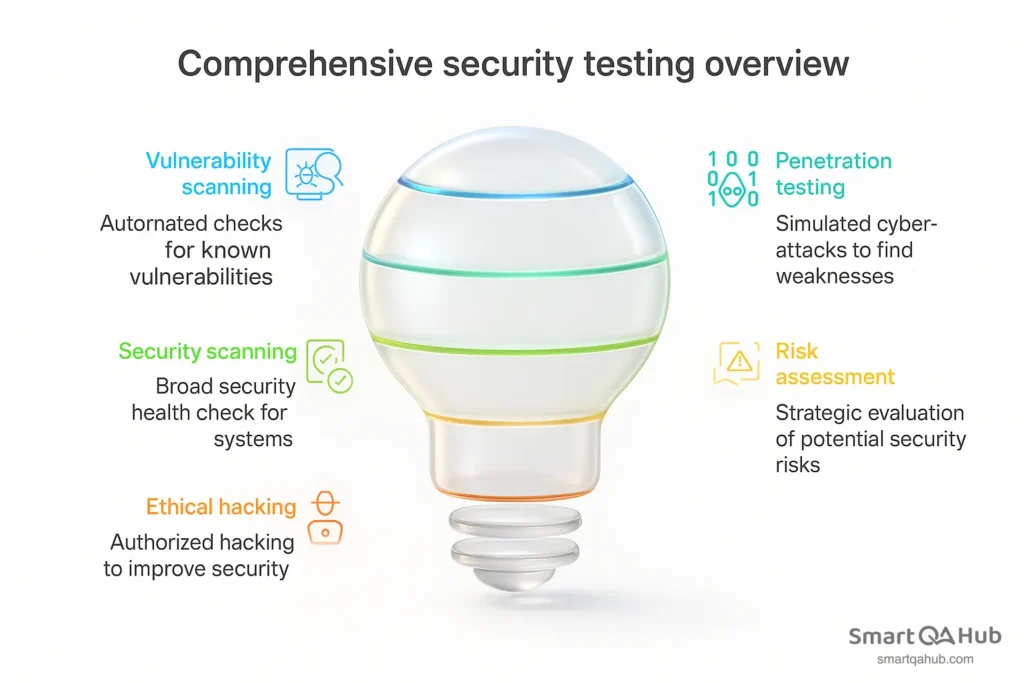
Security testing isn’t a single technique but rather a collection of methods. In modern software development, teams use a mix of tests to cover different angles of security. Let’s look at five essential types of security testing:
Vulnerability scanning
Vulnerability scanning uses automated tools to scan a system or application for known vulnerabilities. Think of it like an antivirus scan, but for weaknesses in your software. The scanner compares your system against a database of known issues (e.g. outdated software versions, misconfigurations, default passwords). For example, a vulnerability scan might check if your web server is missing security patches or if any commonly exploited ports are open.
| Aspect | Summary |
|---|---|
| How it works | Runs automated checks for known vulnerabilities. Fast and broad security coverage. Ideal for regular scans (e.g. weekly or per release). |
| Example tools | Nessus, OpenVAS (network/system); OWASP ZAP (web apps). Tools generate reports listing detected issues. |
| Outcome | List of potential issues with severity ratings. Testers review results, confirm real risks, and suggest fixes. |
Penetration testing
A penetration test (or pen test) is a hands-on, simulated cyber-attack against your application to find security weaknesses. Instead of just scanning, a pen tester actively tries to exploit vulnerabilities, much like a real hacker would, but with permission and without malicious intent. The purpose is to see how far an attacker could get into the system if they found a hole.
| Aspect | Summary |
|---|---|
| How it works | Manual testing by ethical hackers. They gather info, identify weaknesses, and attempt real exploitation (e.g. SQL injection) to prove vulnerabilities. |
| Depth of testing | Goes beyond scans. Finds chained attacks and logic flaws. Shows real-world impact by combining smaller issues into serious breaches. |
| Outcome | Detailed report on exploited vulnerabilities and how access was gained. Includes fix recommendations. Usually done periodically (e.g. yearly or after changes). |
Security scanning
Security scanning is a broad look at your system’s overall security posture, identifying weaknesses in networks, systems, or applications and providing solutions to address those issues. It can be done with automated tools or manually, and often it’s an ongoing process rather than a one-time event. Think of it as a “security health check” for your environment.
| Aspect | Summary |
|---|---|
| What it is | A broad “security health check” to find weaknesses in systems, networks, or apps. Can be manual or automated. |
| How it differs | Covers more than just CVEs. Checks configs, access controls, and security policy compliance. Often wider in scope than vulnerability scanning. |
| Manual vs. automated | Manual = checklists, config reviews. Automated = tools scanning for misconfigurations or code issues. |
| Outcome | Highlights weak points and suggests mitigation. Helps prevent attacks through early intervention and system hardening. |
Risk assessment
A risk assessment in security testing is about thinking analytically: identifying and prioritizing the potential security risks to the organization’s systems. Instead of directly testing the software by attacking it, here you evaluate what could go wrong, how likely it is, and what the impact would be if it did. This strategic type of security testing can help guide decision-making and resource allocation.
| Aspect | Summary |
|---|---|
| What it is | A strategic process to identify, rate, and prioritize security risks – not through attacks, but through security analysis of a software. |
| How it works | Identify assets/threats, find vulnerabilities, rate likelihood and impact, then prioritize and suggest actions (e.g. patch, monitor, or accept risk). |
| Outcome | A report or matrix with risk levels and mitigation plans. Helps guide what to test first and where to focus resources. |
Ethical hacking
Ethical hacking involves authorized, skilled security specialists actively attempting to hack into the system to find vulnerabilities, with permission and for the purpose of improving the overall security. It’s often used as an umbrella term that can include penetration testing, but it may also refer to ongoing efforts like bug bounty programs or red team exercises. The key is that it’s hacking conducted by “good guys” who report the problems instead of exploiting them maliciously.
| Aspect | Summary |
|---|---|
| What it is | Legal hacking done by authorized security experts (“white hats”) to find and report real vulnerabilities before bad actors do. |
| How it works | Uses attacker methods (e.g. phishing, exploit attempts) but within agreed rules. May include pen tests, bug bounties, or red team exercises. |
| Pen test vs. hacking | Pen testing is structured and time-limited. Ethical hacking is broader and often continuous, with more creative or community-driven approaches. |
| Outcome | A report detailing found issues and steps to reproduce them. Valuable for catching complex or overlooked vulnerabilities across systems. |
Did you know?
Ethical hackers can be millionaires
Some ethical hackers — often called white hat hackers — earn millions of dollars legally by reporting security bugs to companies like Google, Facebook, or Apple through bug bounty programs.
For example: In 2020, a 19-year-old hacker from Argentina named Santiago Lopez became the first hacker to earn over $1 million through HackerOne, a popular bug bounty platform. He started learning ethical hacking for free using YouTube tutorials.
These hackers don’t break the law — they help companies fix vulnerabilities before bad actors find them. In return, they get paid. It’s like getting rewarded for “breaking in” — only with permission.
Best practices for cybersecurity
Cybersecurity isn’t just about running tests — it’s a mindset. If you want your application to stand up against potential security threats, you need to think like an attacker but act like a defender. Here are some essential best practices that every tester and developer should follow:
1. Use strong passwords and access controls
Never store passwords in plain text. Always use strong hashing algorithms such as bcrypt (Find out more about bcrypt). Follow the principle of least privilege – users and services should only have the minimum access necessary to perform their tasks.
2. Keep dependencies up to date
Many vulnerabilities originate from third-party libraries. Unpatched or outdated dependencies can create major security gaps. Use tools like Snyk or Dependabot to monitor and update your packages regularly.
3. Secure your testing environments
Test environments can be just as vulnerable as production. Never use real customer data in testing unless it’s anonymized or masked. Avoid exposing staging or QA environments to the public internet unless absolutely necessary — and even then, secure them properly.
4. Enable logging and monitoring
Comprehensive logging and monitoring can help detect and respond to suspicious activity early. However, logs should never contain sensitive data like passwords or personally identifiable information in plain text. Ensure logs are protected and reviewed regularly.
5. Educate yourself and your team
Cyber threats evolve quickly. Stay informed about emerging vulnerabilities through sources like the CVE database, and share knowledge within your team. Regular security training and post-mortem reviews after incidents help build long-term awareness and resilience.
Remember: Cybersecurity is not a one-time task — it’s an ongoing process. It starts at the design phase and continues through development, testing, and even post-deployment. Building secure software requires constant attention, collaboration, and learning.
Cyber security testing: Types of security testing tools for beginners
Modern cyber security testing relies on a mix of automated tools and manual approaches. As a beginner tester, it’s useful to get acquainted with some fundamental tools and techniques in each category. Remember, tools are helpers – they can speed up finding issues – but they work best in the hands of someone who understands what to do with the results.
Automated security testing tools
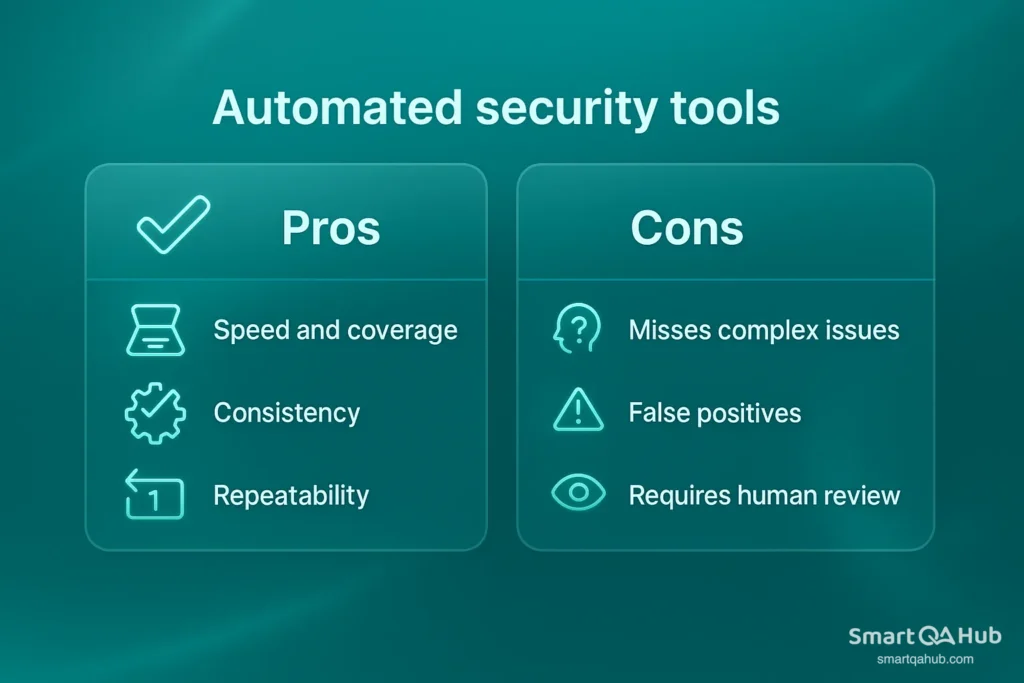
Automated tools are like your tireless security assistants: they can scan through code, applications, or networks quickly to flag potential issues. Here are some categories of automated security testing tools and examples of each:
- Vulnerability scanners: These tools automatically scan systems for known vulnerabilities. Examples: Nessus and OpenVAS (for network and infrastructure scanning), which will look for misconfigurations, missing patches, and other common weaknesses. They’re great for getting a broad overview of issues. Another example is QualysGuard (often used in enterprises) for continuous vulnerability management.
- Web applications scanners (DAST tools): Dynamic Application Security Testing (DAST) tools like OWASP ZAP or Acunetix simulate attacks on a running web application. They can automatically crawl your website and test forms, URLs, and inputs for things like SQL injection or cross-site scripting. For a beginner, OWASP ZAP is excellent – it’s free and beginner-friendly, and you can watch it identify security issues in a demo web app to learn common vulnerabilities.
- Static code analyzers (SAST tools): These tools scan source code for security weaknesses without running the program. Examples: SonarQube (with security rules), Checkmarx, or open-source linters with security plugins. If you have access to the code, these can highlight dangerous coding practices (like using obsolete crypto functions or unsanitized input handling) so developers and security professionals can fix them. Beginners might use something like ESLint plugins for security in a JavaScript project, just to see what pops up.
- Dependency scanners (software composition analysis): Modern apps use tons of libraries. Tools like OWASP Dependency-Check or services like npm audit (for Node.js) automatically check if your app’s dependencies have known vulnerabilities. It’s automated and quick – for instance, running an npm security audit will list any Node packages in your project with security advisories.
- Continuous Integration (CI) pipeline tools: Many automated tools integrate with CI/CD. For example, a GitHub Action can fail the build if new code introduces a high-severity security issue (using, say, a SAST or SCA tool in the pipeline). As you grow, you’ll encounter these in DevOps-heavy environments.
Comparison table of security testing tools and their uses
| Tool / Approach | Type | Purpose | Beginner friendly? |
|---|---|---|---|
| OWASP ZAP | Automated Web Scanner (DAST) | Scans web apps for common vulnerabilities (SQLi, XSS, etc.) by crawling and attacking like a bot. | Yes – great starting tool (free & has GUI) |
| Nessus / OpenVAS | Automated Vulnerability Scanner | Scans networks/servers for known vulnerabilities and misconfigurations. | Yes – requires some setup, but lots of tutorials available |
| Burp Suite (Community) | Manual Proxy/Interceptor + Scanner | Allows you to intercept and modify HTTP requests; also has scanning security features for web vulnerabilities. | Yes – a bit of a learning curve, but essential for web testers (Community edition is free) |
| SonarQube (with Security Rules) | Automated Static Code Analyzer (SAST) | Reviews source code for insecure patterns (e.g., SQL injection flaws, insecure config) without executing the code. | Moderate – useful if you know some coding; can be integrated into CI |
| Browser DevTools | Manual exploration tool | Built-in browser tools to inspect network calls, manipulate form data, and check site behavior (e.g., see cookies, responses). | Yes – easy to use; good for basic checks and understanding web app behavior |
Each of these can help you uncover security issues, but remember to use them legally and ethically (only test systems you have permission to test!). As a new tester, start with one or two tools and gradually expand your toolkit as you become comfortable.
Implementing basic security tests
Even routine security tests can uncover serious weaknesses. By checking how your application handles user input, login processes, and session control, you can reveal vulnerabilities before attackers do. These basic security controls help you build secure habits and spot risks during everyday testing — no advanced tools or hacking skills needed.
1. Input validation testing
Input validation testing involves checking how the application handles the data users (or attackers) enter into forms, fields, or APIs. Many security vulnerabilities (like SQL injection or cross-site scripting) start with unvalidated or unsanitized input. As a tester, you want to ensure the software doesn’t trust user input by default.
Key idea: Checks how the application handles input data from users (or attackers) in forms, fields, or APIs. The goal is to ensure the software doesn’t trust user input by default.
How to Test:
- Very long strings
(Enter strings with 10,000+ characters like aaaaa…; check for crashes, freezes, or display issues) - Special characters and code
(Try inputs like ‘, “, <, >, &, ‘; DROP TABLE users;–‘, or <script>alert(‘XSS’)</script>; system should sanitize input and prevent injection) - Boundary cases
(Use invalid formats like user@, 123@.com, negative values like -100, or overly large numbers like 9999999999; app should reject or handle gracefully)
What to look for: The application should validate input (reject incorrect formats) and sanitize it (remove dangerous parts). If unfiltered input is stored or displayed, it’s a potential problem.
Why it’s important: Prevents attacks like SQL injection and XSS, which often start with unvalidated input.
2. Authentication testing
Authentication testing focuses on the login process and user identity controls. Essentially, you’re testing the gates that protect the application’s sensitive areas. Weaknesses in authentication can be disastrous – if an attacker can log in as someone else or bypass login entirely, that’s game over for existing security mechanisms. Here’s how to approach testing authentication:
Key idea: Focuses on the login process and user identity verification. The goal is to ensure that only authorized individuals have access.
How to test:
- Login functionality
(Enter invalid username/password like testuser / wrongpass; system should show a generic error and not reveal user existence) - SQL injection on login fields
(Try inputs like ‘ OR 1=1 — or <script>alert(‘XSS’)</script>; the app should handle them safely without executing) - Password handling
(Use weak passwords like abc123, password, or 12345678; system should enforce rules for length and complexity) - Brute-force protection
(Attempt 10+ rapid login attempts with wrong credentials; system should trigger lockout, CAPTCHA, or delay) - Session management after login
(Log in → log out → use browser back button to access /dashboard; session should be invalidated) - Password reset
(Request reset with both existing and non-existing emails like user@example.com / fake@domain.com; app should not confirm email existence; test link expiration and reuse) - Multi-factor authentication (MFA)
(Enter wrong or expired OTP like 123456; system should block access and not allow bypass)
Why it’s important: Authentication is the “front door” of the application. Weaknesses can lead to unauthorized access or bypassing login.
3. Session management
Session management is about what happens after authentication – how the app keeps track of who you are and controls your access. When you log in to a website, the server usually gives your browser a session ID (often stored in a cookie). This ID is like a temporary key proving you’re authenticated. Testing session management ensures that these keys are handled safely. Here are some things to test:
Key idea: Checks how the application tracks user identity and manages access after authentication. This involves securely handling temporary keys (session IDs) that confirm authentication.
How to test:
- Session ID security
(Check session cookies via browser dev tools; verify flags like HttpOnly and Secure are set — e.g., in Chrome DevTools → Application → Cookies) - Session timeout
(Stay inactive for a set period — e.g., 15–30 minutes — and try interacting again; the app should require re-login) - Concurrent login/Session handling
(Log in from Chrome and Firefox (or mobile and desktop) with the same account; see if the older session stays active or is logged out) - Logout functionality
(After logout, try accessing a protected page or reusing the session cookie from dev tools; access should be denied and session invalidated) - Secure transmission
(Use browser’s security tab or network inspector to confirm all session-related pages use HTTPS; no session cookie should be transmitted over HTTP)
Why it’s important: Prevents attacks like session hijacking, where an attacker steals a user’s session ID and impersonates them. Predictable or short session IDs are a clear problem.
Security testing checklist for beginners
- Input fields: Have you tried unusual inputs (long text, special characters, SQL/HTML fragments)?
- Error messages: Do error messages reveal too much information (stack traces, database errors)?
- Authentication: Have you tested login with incorrect credentials and checked for account lockout? Can you access protected pages without logging in (or as a low-privilege user)?
- Session: Is the session truly terminated after logging out? Have you checked cookie flags (HttpOnly, Secure) on session cookies?
- Access control (authorization): (For more advanced cases) If the application has user roles (e.g., user vs. administrator), have you tried to access administrator functions as a regular user to ensure this is prevented?
Continuous security testing in modern software development
Modern software moves fast — thanks to Agile and DevOps. But speed can leave security behind, unless you bake it into the testing process. That’s where “shifting left” comes in.
Instead of saving security checks for the end (when it’s expensive and risky), DevSecOps brings them to the start — right into your sprints, commits, and pipelines.
What does “shifting left” look like?
- Developers write secure code and run linting tools.
- Security tests happen early, even during design.
- CI/CD pipelines scan code automatically (think SAST, SCA).
- Teams share the security mindset, not just the security team.
Why bother? Because a bug caught in dev takes an hour to fix, but the same one in production might take days — plus a PR disaster.
Shifting security shouldn’t slow you down. Shift left, fail fast, fix faster.
One study even suggests that fixing a security issue in software development lifecycle costs dramatically less than in production. Also, catching issues early in the software development process means you’re not delaying releases for big last-minute security overhauls – software security becomes a smooth part of development, not a roadblock.
Takeaway: Don’t treat security testing as a one-off task. Even if you’re in a junior role, you can adopt a shift-left mentality by doing a little security checking each time you test a new feature, rather than waiting for a separate security review phase. It all adds up.
To illustrate, let’s imagine a simple CI workflow for a web app: Developer pushes code -> CI runs and executes: (1) Build and run unit tests, (2) Run SAST scan on the code, (3) Build Docker image and scan it for vulns, (4) Deploy to test environment, (5) Run OWASP ZAP scan against test environment, (6) If all clear (or no showstopper vulns), proceed to deploy to production. This might sound heavy, but many modern DevOps setups do some or all of this. The result is that security testing is not a separate silo; it’s baked into the delivery pipeline.
FAQ: Common questions about security testing
What skills do I need to start with security testing?
How is security testing different from functional testing?
Can I practice security testing without special automated testing tools?
How do I stay updated with the common security vulnerabilities?
Your security testing journey begins here
Security testing may seem daunting at first, but as we’ve explored, it boils down to a mindset of curiosity and careful examination. By understanding the types of security testing and practicing with basic security strategies and tools, you’re well on your way to becoming proficient in safeguarding software. Remember to integrate security checks alongside your regular testing routine – making it a continuous, natural part of development. As you grow older in your profession, keep learning, stay current with the most recent threats, and most importantly, hold onto that attacker’s sense of curiosity. Every “What if I try this…?” question you ask could be the one that prevents a potential security issue down the line. Happy testing, and stay safe!


