


What Is STLC? Understanding the Software Testing Life Cycle

 13 MIN
 15 Feb 2026
STLC (Software Testing Life Cycle) is your practical roadmap for catching bugs before users ever see them. Instead of random bug-hunting, it gives testers six clear phases to plan, execute, and improve testing with purpose.
Table of content
In the STLC, each phase shows what to do, when to do it, and why it matters, so testing stays structured and repeatable. You’ll see how QA fits into the broader software development process not as a final check, but as a continuous partner. By the end, you’ll think like a real QA engineer and know how to apply STLC in your testing role.
What is STLC and why does it matter?
The software testing life cycle is a systematic approach to testing that guides testers through specific activities, from understanding what needs testing to documenting what was found. It transforms testing from a chaotic treasure hunt into a professional, repeatable process.
STLC meaning and core concept
So what is STLC in practical terms? It’s simply the sequence of steps that testing teams follow to verify software quality. The STLC meaning boils down to this: a structured way to plan tests, create tests, run tests, and report results.
Think of it like following a recipe. You wouldn’t throw random ingredients into a pan and hope for a great meal. Instead, you’d follow steps: gather ingredients, prep them, cook in the right order, and plate the dish. STLC gives testers the same kind of step-by-step guidance. Each phase builds on the previous one, and skipping steps usually leads to problems later.
The beauty of this structure is that it works regardless of the project size. Whether you’re testing a simple mobile app or a complex banking system, the same fundamental phases apply. The depth and duration change, but the sequence remains consistent.
Where STLC fits in the bigger picture
Testing doesn’t happen in isolation. It’s part of a larger journey that software takes from idea to finished product. Every application goes through planning, design, coding, testing, and deployment. STLC in software testing represents the detailed breakdown of what happens during that testing portion.
When developers finish building a feature, they hand it over for testing. But professional testing isn’t just clicking buttons. It requires understanding what the software should do, planning how to verify it, and systematically checking every important function. That’s where the software testing life cycle phases come into play – they ensure nothing gets missed and everything gets documented.
STLC vs SDLC: Understanding the difference
If you’ve heard of SDLC, you might wonder how it relates to STLC. The terms sound similar, and people sometimes confuse them. Understanding the difference helps you see where your testing work fits into the overall software development process.
SDLC stands for Software Development Life Cycle. It covers the entire journey of building software from gathering requirements and designing the system to writing code, testing, deploying, and maintaining the product. SDLC is the big picture, the complete roadmap from concept to software delivery.
STLC, on the other hand, zooms in on just one part of that journey: testing. Think of SDLC as the entire construction project for a building, while STLC is the detailed inspection process that ensures the building is safe and meets specifications.
Here’s how they compare:
| Aspect | SDLC | STLC |
|---|---|---|
| Focus | Building the complete software product | Verifying software quality through testing |
| Scope | End-to-end development process | Testing activities only |
| Goal | Deliver working software to users | Find defects and ensure requirements are met |
| Teams involved | Developers, designers, project managers, testers | Primarily QA and testing teams |
| Relationship | Parent process | Subset of SDLC |
The key insight is that STLC runs parallel to or within SDLC. While developers build features, testers prepare test plans. When code is ready, testers execute their tests. The two cycles work together, each with its own detailed phases and deliverables.
The six software testing life cycle phases
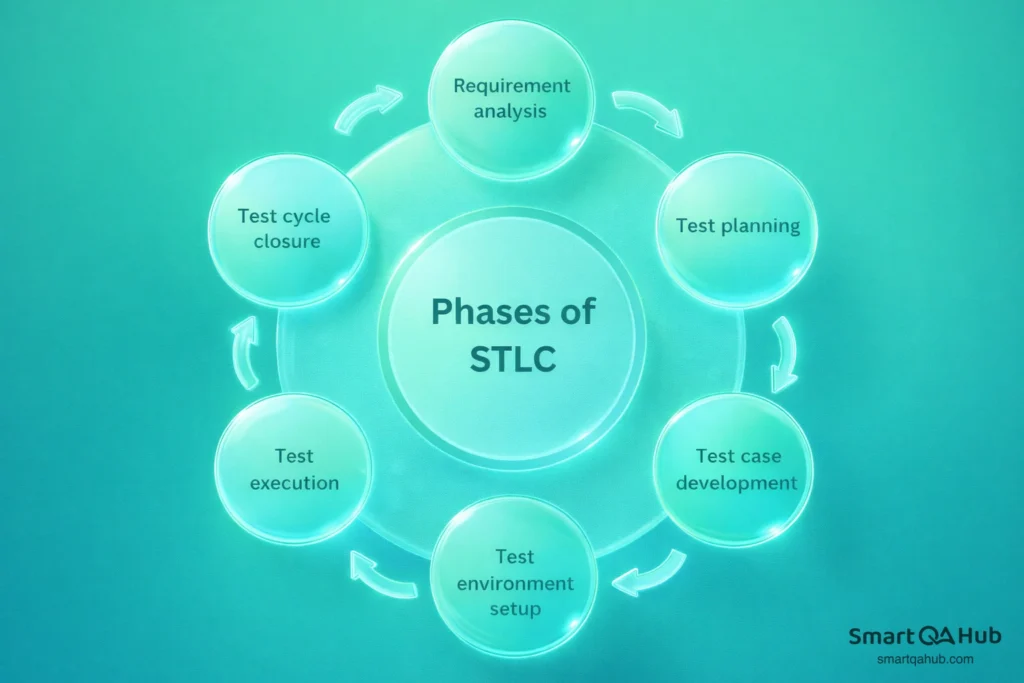
Now let’s explore what is software testing life cycle in detail by walking through each phase. These six stages form the backbone of professional testing, and understanding them will help you contribute meaningfully from day one.
The STLC life cycle follows a logical progression. Each phase produces specific outputs that feed into the next phase. Rushing through early phases or skipping them entirely creates problems that compound as the project continues.
Phase #1: Requirement analysis
Every testing effort starts with a fundamental question: What exactly should this software do? The requirement analysis phase is where testers study the specifications and figure out what can be tested.
During this phase, you’ll review documents that describe the software’s intended behavior. These might include business requirements, user stories, or functional specifications. Your job is to identify which requirements are testable, meaning you can verify them through specific actions and observations.
This isn’t passive reading. Good testers ask questions: What happens if a user enters invalid data? What are the boundaries for input fields? How should the system respond when the network drops? These questions help uncover requirements that might not be explicitly stated but still need testing.
Pro tip: Questions to ask yourself in this phase:
- Do I understand what the software should do?
- Which requirements can I actually verify through testing?
- What questions do I need answered before I can plan tests?
The main output from this phase is a clear understanding of what needs testing and a requirements traceability matrix that links each requirement to future test cases.
Phase #2: Test planning
With requirements understood, the next step is creating a plan. Test planning is often called the most critical phase because decisions made here affect everything that follows.
The test plan document outlines the testing strategy: what types of testing will be performed, who will do what, what tools will be used, and how long testing will take. It also identifies risks and defines what success looks like.
As a tester, you might not write the test plan yourself, but you’ll certainly work from one. Understanding its contents helps you see how your daily tasks connect to larger project goals. A good test plan answers questions like: Which features are the highest priority? What environments need testing? How will we track and report defects?
Tip: Key elements you’ll find in a test plan
- Scope and objectives
- Testing approach and types
- Resource and schedule estimates
- Risk assessment
- Entry and exit criteria
This phase also involves estimating effort and resources. Experienced testers know that testing always takes longer than expected, so building in buffer time is essential.
Phase #3: Test case development
Here’s where the creative work begins. Test case development involves designing the actual tests that will verify whether the software works correctly.
A test case is essentially a set of instructions: given these starting conditions, perform these actions, and expect these results. Good test cases are specific, repeatable, and traceable back to requirements. They cover not just the happy path where everything works perfectly, but also edge cases and error scenarios.
During this phase, testers write detailed test cases for manual execution and may also create automated test scripts for tests that will run repeatedly. The goal is comprehensive coverage – making sure every important function and scenario has a corresponding test. Test cases are typically organized into test suites, which group related tests together. This organization makes execution more manageable and helps with reporting results by feature area.
Phase #4: Test environment setup
Tests need somewhere to run. The environment setup phase prepares the technical infrastructure where testing will happen. A test environment mimics the conditions where the software will eventually operate. This might include specific hardware configurations, operating systems, browsers, databases, and network settings. The closer your test environment matches the real-world production environment, the more reliable your test results will be.
Here’s an important reality for beginners: you probably won’t set up environments yourself, at least not initially. This work typically falls to developers or operations teams. However, you need to understand what environment you’re testing in and verify it’s ready before starting execution.
Before full testing begins, teams usually run a quick smoke test: a small set of basic tests that confirm the environment is working and the application is stable enough for detailed testing.
Phase #5: Test execution
This is the phase most people picture when they think of testing: actually running the tests. The test execution phase involves performing the test cases created earlier and documenting what happens. For each test, you’ll follow the documented steps, observe the actual results, and compare them to expected results. When they match, the test passes. When they don’t, you’ve found a defect that needs reporting.
Defect reporting is a crucial skill. A good bug report includes clear steps to reproduce the problem, screenshots or videos showing the issue, information about the environment, and an assessment of severity. Vague reports like “the button doesn’t work” slow everyone down, while detailed reports help developers fix issues quickly.
As defects get fixed, testers verify the fixes and run regression tests to ensure new code hasn’t broken existing functionality. This cycle of testing, reporting, fixing, and retesting continues until the software meets quality standards.
Phase #6: Test closure
The final phase wraps up the testing effort and captures lessons learned. Test closure phase involves evaluating whether testing objectives were met and documenting the results.
The main deliverable is a test closure report that summarizes what was tested, how many tests passed and failed, what defects were found, and whether the software is ready for release. This report goes to stakeholders who need to make decisions about deployment.
Beyond the report, test closure includes archiving test artifacts: the test cases, scripts, test data, and reports that might be needed for future testing cycles. When the next version of the software arrives, QA teams don’t start from scratch. They reuse and update existing materials.
Pro tip: Questions to address in test closure:
- Did we achieve our testing objectives?
- What defects remain open, and what’s their impact?
- What would we do differently next time?
This phase also provides an opportunity for reflection. What went well? What could improve? These insights help teams refine their process for the next project.
Entry and exit criteria: Your testing checkpoints
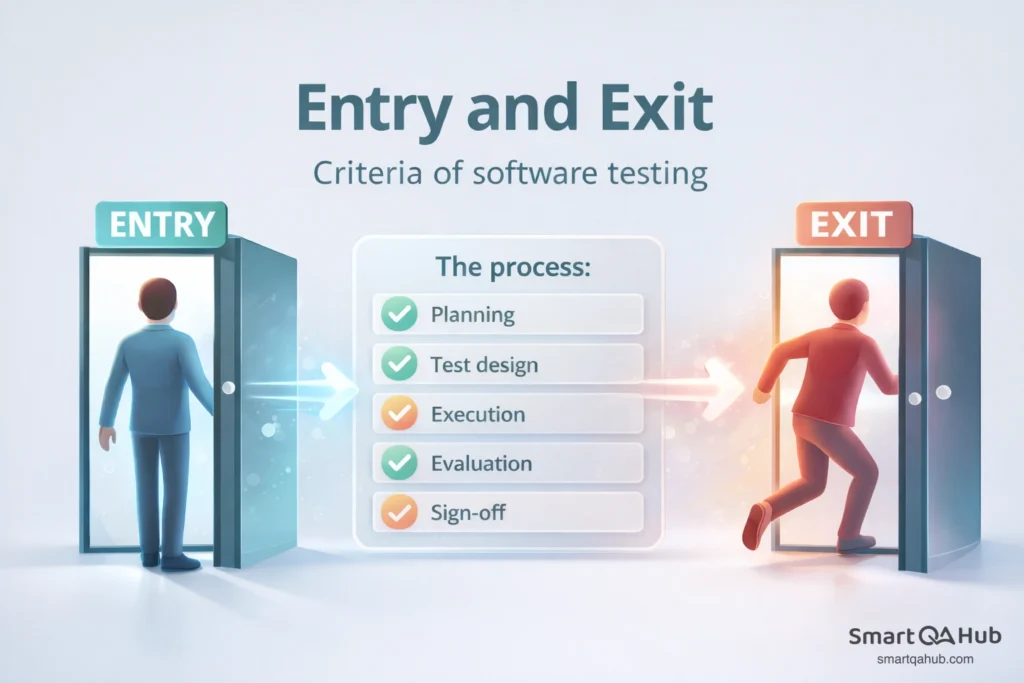
You might have noticed references to “entry criteria” and “exit criteria” in the phase descriptions. These concepts are essential for maintaining quality and preventing chaos in testing projects.
Entry criteria define what must be true before a phase can begin. They’re like prerequisites that ensure you have everything needed to do the work properly. For example, you shouldn’t start writing test cases until requirements have been reviewed and understood.
Exit criteria define what must be accomplished before moving to the next phase of the software testing. They prevent teams from rushing forward with incomplete work. Test execution shouldn’t close until all critical tests have run and high-priority defects have been addressed.
Here are examples of entry and exit criteria for key phases:
| Phase | Entry criteria | Exit criteria |
|---|---|---|
| Requirement analysis | Requirements documents available | Requirements reviewed, testable items identified |
| Test planning | Requirement analysis complete | Test plan approved, resources assigned |
| Test execution | Test cases ready, environment stable | All planned tests executed, defects logged |
| Test closure | Test execution complete | Closure report delivered, artifacts archived |
These criteria act as quality gates. When a team respects them, problems get caught early rather than snowballing into bigger issues later. When they’re ignored, often due to schedule pressure, testing quality suffers.
Why testing projects fail without proper STLC
Understanding how things go wrong helps you appreciate why structure matters. Testing projects fail for predictable reasons, and most failures trace back to shortcutting or skipping STLC phases.
- Skipping requirement analysis leads to useless tests.When testers don’t fully understand what the software should do, they write tests based on assumptions. Those tests might pass even when the software has serious problems, or flag false issues that waste everyone’s time. Have you ever studied the wrong material for an exam? That’s what happens when testing skips this foundation.
- Poor test planning causes chaos during execution. Without clear plans, testers duplicate effort, miss critical features, and run out of time for important tests. The team spends more energy coordinating and less time actually testing.
- Inadequate environment setup creates unreliable results. Tests that pass in one environment might fail in another. If your test environment doesn’t match production, you might ship software that breaks when real users access it.
- Rushing test closure means repeating mistakes. When teams skip documentation and reflection, they lose valuable knowledge. The next project encounters the same problems because nobody recorded what went wrong or what worked well.
- Treating phases as isolated steps breaks the flow. The software testing life cycle phases connect to each other. Requirements inform test planning. Test planning shapes test case development. When teams treat phases as unrelated checkboxes, they lose the benefits of having a structured software testing process.
- The good news? Following STLC properly prevents these failures. It might feel slower initially, but structured testing catches more bugs, reduces rework, and ultimately delivers better software faster.
STLC terminology quick reference
Here are some key STLC terms you should know.
- Test case: A set of conditions, inputs, and expected results used to verify a specific function or feature.
- Test plan: A document describing the scope, approach, resources, and schedule for testing activities.
- Requirements traceability matrix (RTM): A document linking requirements to their corresponding test cases, ensuring complete test coverage.
- Defect/Bug: A flaw in the software where actual behavior doesn’t match expected behavior.
Test tools and resources for getting started
Most testing teams use specialized tools for test management and defect tracking. While specific software testing tools vary by organization, familiarizing yourself with categories like test case management systems, bug tracking platforms, and automated testing frameworks will serve you well. Many offer free tiers or trials where you can practice.
Industry certifications like ISTQB Foundation Level provide structured learning paths that reinforce STLC concepts. Online communities and forums also offer spaces to ask questions and learn from experienced testers.
FAQ: Frequently asked questions about STLC
How long does the STLC take?
Can STLC phases overlap?
Is STLC used in Agile?
Do I need to memorize all six phases?
From bug hunter to QA pro
The software testing life cycle transforms random bug-hunting into professional quality assurance through six structured phases: requirement analysis, test planning, test case development, environment setup, test execution, and test closure. This logical progression catches defects early, documents everything important, and gives beginners a clear framework for contributing effectively from day one.
Ready to put STLC into practice? Start thinking in phases for every testing task you encounter. Ask what requirements need testing, how tests should be planned, and what happens when testing ends. Whether you’re working on a team project or preparing for your first QA role, this structured mindset is what separates professional testers from casual bug-hunters.


