


White Box Testing: Upgrade Your Software Quality With These White-Box Testing Techniques

 12 MIN
 22 Aug 2025
White box testing is a powerful approach that focuses on verifying the internal logic and internal structure of code to improve its overall quality. It helps testers and developers catch hidden bugs and inspect and verify the software’s internal logic and structure. This software testing approach requires knowledge of the source code and supports detailed coverage measurement. Unlike black-box testing, it lets you design tests based on actual program flows and decisions.
Table of content
White box testing is like taking an X-ray of your software’s code — you examine the internal logic to make sure everything functions correctly. For beginners in QA, this might feel overwhelming at first. However, mastering key principles, including penetration testing white box approaches, can make white box testing a powerful tool to boost your software’s quality and security.
In this article, we’ll break down what white box testing is, the different techniques and types, simple examples, and the pros and cons – all in beginner-friendly terms.
What is white box testing? Definition and key concepts
White box testing (sometimes called transparent box or inside-out testing) focuses on exploring the hidden mechanics inside the software’s code. Instead of treating the software like a black box — where you only care about inputs and outputs — you open it up and look at how it actually works.
Think of it as opening up the engine to see exactly what’s going on under the surface. You’re not just pressing the gas pedal and checking if the car moves — you’re inspecting the engine to see which parts are working, which paths the fuel takes, and what happens when you turn the key.
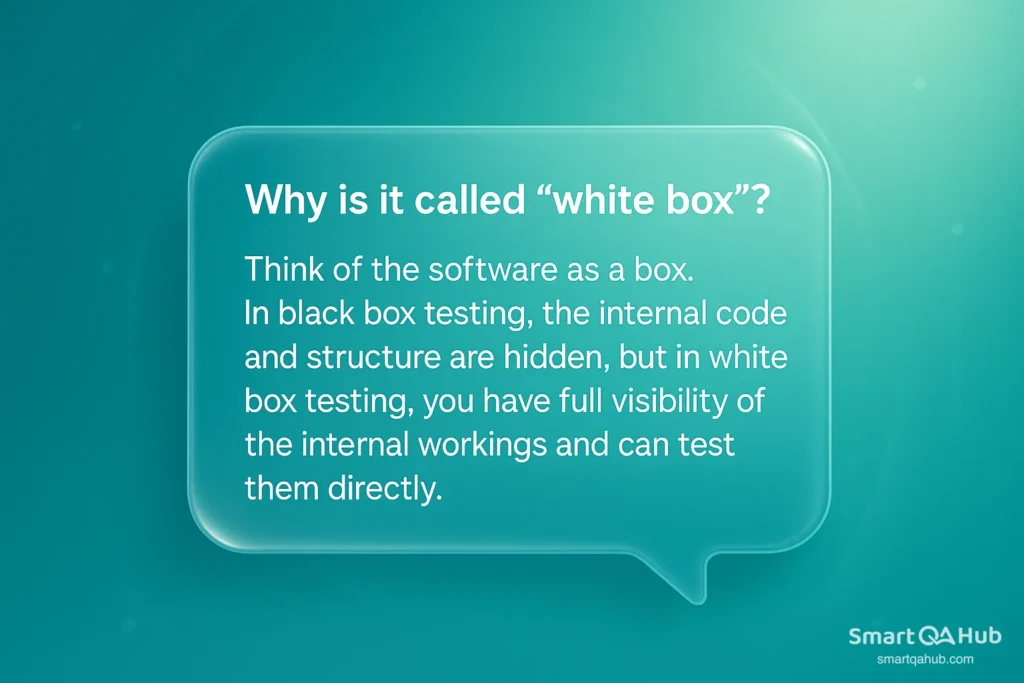
Why is it called “white box”? Think of the software as a box. Black box testing hides the internal code, while white box testing lets you see and test it directly. The name emphasizes that internal visibility.
White box testing and black box testing
What are the differences between white box and black box testing? White-box testing and black-box testing are complementary opposites. Black box testing treats the system as a mystery, while white box testing gives you full visibility into the code. You approach testing the same way a user would — by entering data and checking if the results match expectations.
Unlike other methods of testing, white box testing involves examining the internal workings of the software. You leverage your understanding of the code and how it’s built to design precise tests. For instance, a common example of white box testing is creating unit tests that focus on particular decision points within a function.
Here are some main differences between black box and white box testing:
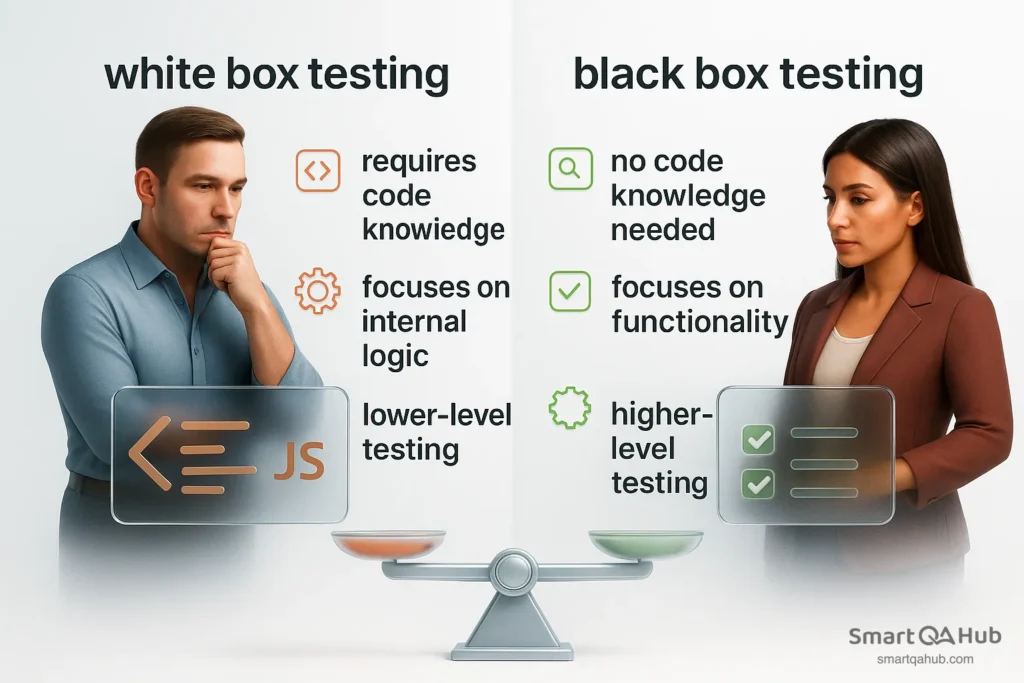
Neither approach is “better” on its own – they serve different purposes. In fact, combining both gives the best overall coverage. We’ll talk more about how white box and other methods complement each other later on.
When to use white box testing
White box testing is useful when you need insight into the internal workings of your code. Here are common scenarios:
- During development: Developers write unit tests to check if each function behaves correctly. It’s the first line of defense against bugs.
- After refactoring: If you’ve changed internal logic, white box tests help ensure you didn’t break anything unexpectedly.
- For critical code: In safety-critical or business-critical modules, 100% code coverage is often required. White box testing ensures all paths through the code are tested.
- While debugging: If a black box test uncovers a bug, you can shift to white box testing to dig into the code and pinpoint where things go wrong.
- In security testing: White box penetration tests give the tester full access to application’s source code, making it easier to find vulnerabilities before release.
If you don’t have access to source code, or you’re testing user-facing features, black box testing is more appropriate. Most teams use both – white box for robustness during development, black box for user-focused validation before release.
Examples of white box testing types
White box testing isn’t just about “Did it work?” – it’s about “Did every part of the code actually run and behave correctly?” To measure that, we use code coverage criteria.
Check out the key types of white box testing coverage that you should understand – and put into practice!
def check_number(x):
    if x > 0:
        print("Positive")
    else:
print("Zero or negative")1. Statement coverage
Imagine your code has 10 lines. Statement coverage asks: Did your tests run every one of those lines at least once?
It’s that simple.
The goal is to make sure no line of code is completely skipped during the testing process. If a line never runs, it might hide a bug – or maybe it’s dead code that shouldn’t be there.
Example:
def check_number(x):
    if x > 0:
        print("Positive")
    else:
print("Zero or negative")Now let’s say you only test this:
check_number(5)That means only the if part runs:
print("Positive")The else part never runs. So:
- ✅ Some statements are covered
- ❌ One line (print(“Zero or negative”)) is never executed
Pro tip: 100% statement coverage is a good start – but not enough on its own.
2. Branch (Decision) coverage
Branch coverage checks whether your branch testing goes through every possible decision path in your code – both the “yes” and “no” of every if, else, elif, switch, etc.
It answers the question: Did you test every possible outcome of each decision?
Example:
def check_number(x):
    if x > 0:
        print("Positive")
    else:
print("Zero or negative")To get 100% branch coverage, you need two tests:
check_number(5)   # → takes the "if" path (x > 0)
check_number(-2) # → takes the "else" path (x ≤ 0)Now both decision outcomes are tested:
- One where the condition is true
- One where it is false
Why is branch coverage different from statement coverage?
Because:
- Statement coverage only checks if each line of code runs at least once.
- But it doesn’t care if you test all the possible ways the code can go – like both sides of an if condition
3. Path coverage
Path coverage checks if your tests cover every possible route through your code – from start to finish.
Imagine your code is like a maze with many turns. Path coverage means path testing all the different ways you can walk through that maze.
Why is this important? Sometimes, bugs don’t show up just from one decision alone – they happen when certain decisions happen together in a particular order.
Path coverage helps uncover issues by running through every possible sequence of decisions in the code.
Example:
def check_numbers(a, b):
    if a > 0:
        if b > 0:
            print("Both positive")
        else:
            print("a positive, b not")
    else:
print("a not positive")Possible paths through this code:
- a > 0 true → b > 0 true → prints “Both positive”
- a > 0 true → b > 0 false → prints “a positive, b not”
- a > 0 false → prints “a not positive”
To get full path coverage, you need tests for all these paths.
⚠️ But watch out!
If your code has lots of ifs, loops, or complex logic, the number of possible paths can grow very fast – even thousands or millions! Because of this, 100% path coverage is often impractical for big programs.
4. Condition coverage
Condition coverage goes one step deeper than branch coverage. It checks if each individual condition inside a decision has been tested with both true and false outcomes.
Why does it matter?
Sometimes decisions aren’t just one simple check – they can be made of multiple parts combined with AND (&&) or OR (||) operators.
Condition coverage makes sure every single part of those decisions has been tested both ways, so no part hides a bug.
Example:
def check_values(a, b):
    if a > 0 and b < 5:
        print("Condition met")
    else:
print("Condition not met")What tests do you need?
- a > 0 true, b < 5 true → prints “Condition met”
- a > 0 true, b < 5 false → prints “Condition not met”
- a > 0 false, b < 5 true → prints “Condition not met”
- a > 0 false, b < 5 false → prints “Condition not met”
This way, each condition (a > 0 and b < 5) is tested with both true and false values.

High coverage ≠ high quality
- A Microsoft Research study showed:
- Some projects had 90%+ code coverage
- Yet still had large volumes of production bugs
- Why? The tests didn’t check what mattered. Coverage must be meaningful.
Source: Microsoft Research – The Relationship Between Code Coverage and Fault Detection Effectiveness
White box testing techniques every beginner should know
White box testing isn’t just about writing simple test cases — it’s a set of software testing techniques that let you look inside the code and find hidden issues. If you’re new to QA, here are the key white box testing methods with examples:
Static code analysis
This means checking the code without running it, to find bugs or security risks. Tools like ESLint (for JavaScript) or SonarQube scan your code and warn about things like unused variables or possible null-pointer errors.
Example: A tool warns you about a variable that’s declared but never initialized, which might cause a crash later.
Unit testing
Unit tests check small chunks of code (like functions) by running them with specific inputs and verifying outputs. You test all branches of logic, including edge cases.
Example: For a function that calculates discounts, write tests for no discount, 10% discount, and 100% discount scenarios. Popular frameworks include JUnit (Java), pytest (Python), and NUnit (C#).
Code reviews
Before merging code, a teammate reads it carefully to catch mistakes and think about missing tests. They might ask, “What happens if this value is zero?” or “Did you handle the error here?”
Example: A reviewer spots that a function doesn’t check for division by zero, which could crash the app.
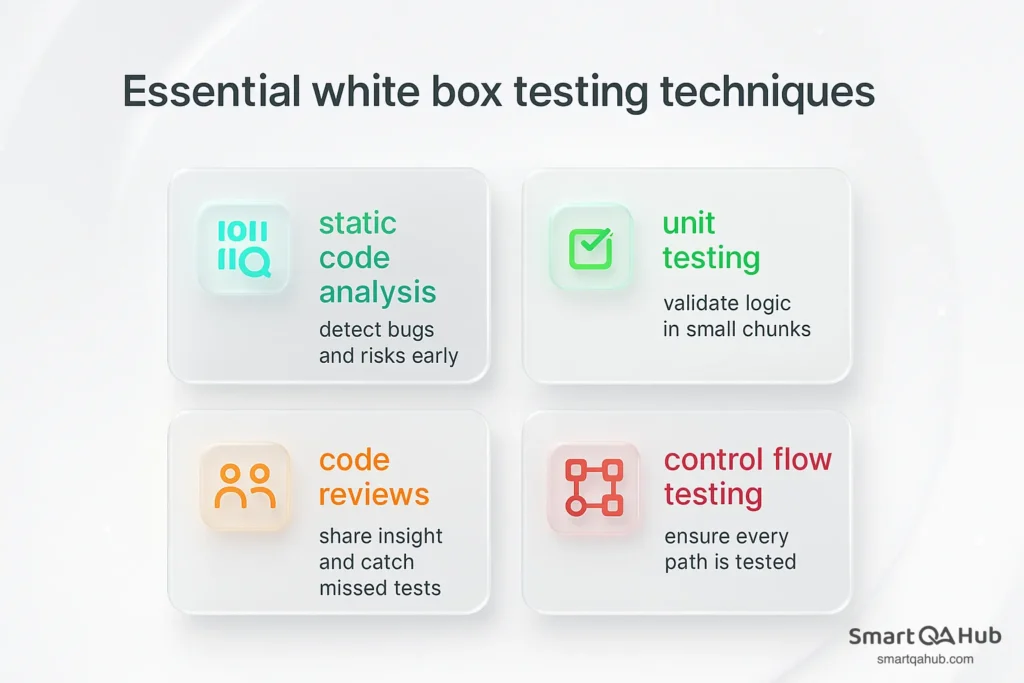
Control flow testing
This means planning tests to cover all paths the code can take — loops, if/else branches, and decisions. Even without diagrams, sketch the flow and test each route.
Example: For a login function with an if/else checking password correctness, write tests for both correct and incorrect passwords, plus tests for empty input.
FAQ: Frequently asked questions about white box testing
What is the meaning of “white box testing”?
When should I apply white box testing?
Who typically performs white box testing?
What is white box penetration testing?
Is white box testing only done at the unit level?
Conclusion: Why white box testing belongs in every QA toolkit
White box testing gives you a deeper look into how software works by testing its internal code paths. It helps catch logic bugs early, improves code structure, and supports better coverage. While it has limits and disadvantages – like requiring code access and technical skills – it’s most powerful when paired with other methods. Think of it as your internal compass for code quality. Start small, build your skills, and let white box testing become your advantage in QA.


