


Functional Testing in Software Development: An Overview of Types and Implementation
 13 MIN
 09 Sep 2025
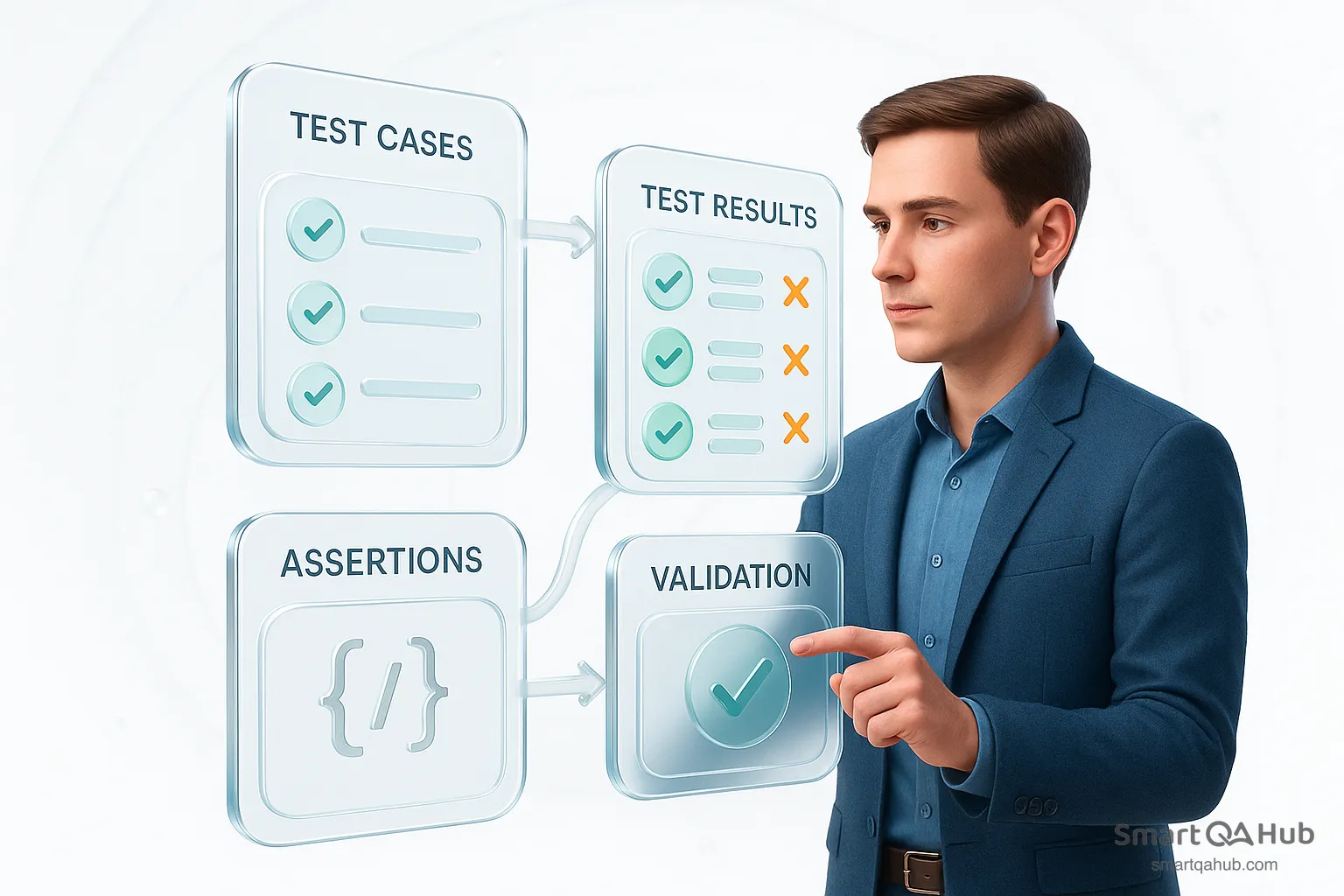
Functional testing is what ensures your app actually works when users interact with it. Ever clicked a button and nothing happened? Or worse, the wrong thing happened? These frustrating moments are exactly what functional testing helps prevent. It confirms each part of the software behaves as expected.
Table of content
What is functional testing in software development?
Functional testing is a software testing approach that verifies whether an application’s features work as expected based on the specified requirements (source: IBM.com). This means testing each function by providing appropriate inputs and checking whether the actual result matches the expected one, without focusing on how the code is implemented internally.
It’s basically asking “Does this software do what it’s supposed to do?” for every user action and feature.
Functional testing usually views the software as a black box, and this black-box testing emphasizes what the software system should do instead of how it works behind the scenes.
For example, if you’re testing a login feature, you don’t need to see the code that checks the password – you simply enter a valid password and expect to get in, or enter a wrong one and expect to see an error.
This is in contrast to non-functional testing, which checks qualities like performance or usability – essentially how well the system works rather than what it does.
Example: Think of a TV remote control. Functional testing is like pressing each button and verifying it performs the right function – the volume button raises the volume, the channel button changes the channel, and so on. In a software context, that means clicking every button or using every feature in an app to make sure each one does what it’s supposed to (e.g. the “Save” button actually saves your data).
Functional testing is often the first testing activity new QA professionals learn. It validates the user-facing behavior of the software. If a feature doesn’t function correctly (say, a “Submit” form doesn’t actually submit data), functional testing will catch it. Functional testing gives you confidence that the software behaves correctly for the end-user in line with the requirements, before it ever gets to a real customer.
Core principles of functional software testing
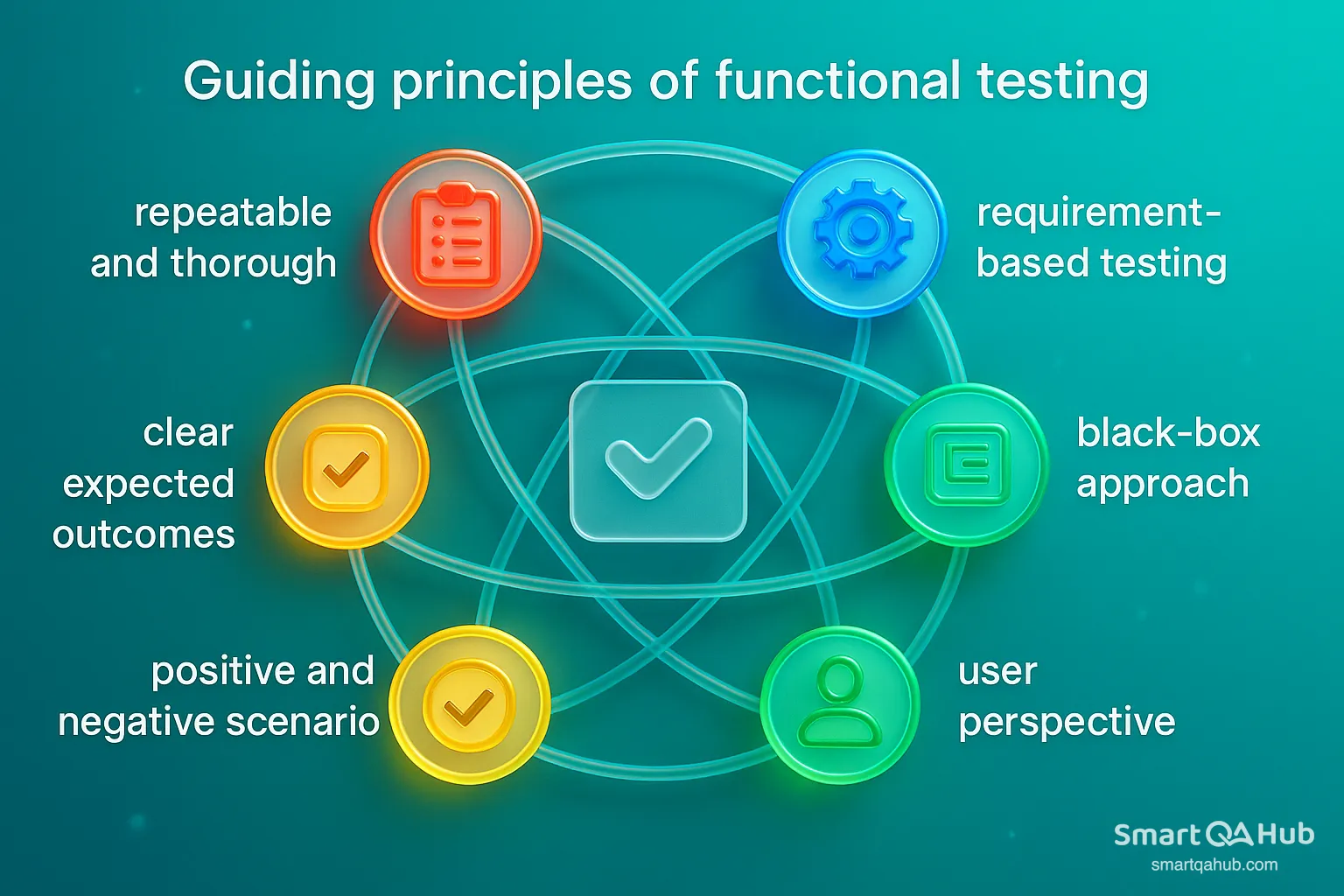
- Requirement-based testing: Always test based on the specified functional requirements or user stories to ensure you’re verifying the correct functionality of a software.
- Black-box approach: Concentrates on the inputs and the expected results, without requiring insight into the underlying code.
- User perspective: Test features as if you were the end-user, checking that real-world actions lead to the right results.
- Positive and negative scenarios: Include both valid and invalid inputs to ensure that the software behaves correctly in all situations.
- Clear expected outcomes: Know exactly what result to expect before testing, so you can confidently identify pass or fail.
- Repeatable and thorough: Create consistent, easy-to-follow test steps that cover all necessary scenarios, including edge cases.
By following these principles, you’ll conduct functional tests in a structured way that maximizes your chance of finding any deviations between what the software should do and what it actually does.
Types of functional testing every beginner should know
Functional testing types aren’t just a single testing technique or approach — they represent a broad category of tests designed to verify that software behaves as expected. Each type targets a specific level of the software application, from individual units of code to fully integrated systems, ensuring functionality across the entire software stack.
Levels of Software Testing. This pyramid illustrates the levels of functional testing from bottom to top:
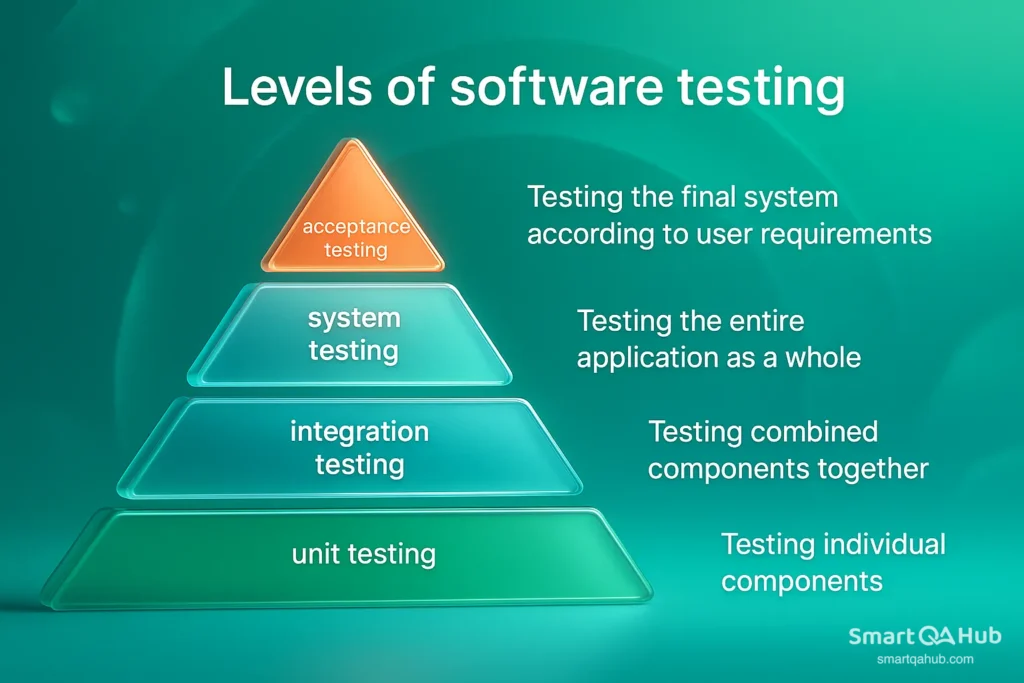
Each type of functional testing also highlights where it fits within the development process, showing how testing evolves from individual units to full system validation.
Different kinds of functional testing also demonstrate where they occur within the development process:
Ad-hoc testing
Ad-hoc testing is an informal and unscripted way of performing functional testing. Rather than following predefined test cases or a structured test plan, you navigate the application freely, guided by your instincts, past experience, and understanding of the product. It’s particularly effective for uncovering surprising issues or quickly checking new features before formal test cases are available.
Ad-hoc testing is like walking through a house you just built, opening doors and flipping switches randomly to see what works and what doesn’t – with no blueprint in hand.
API testing
API testing involves validating the interactions and data exchanges between software components through their APIs (Application Programming Interfaces). Rather than testing through a user interface, you test the logic and data exchange directly at the service level. This is vital for backend-heavy or microservice-based systems, where UIs may be minimal or even nonexistent.
API testing verifies that communication between software components happens as intended — ensuring data is transferred accurately, securely, and with proper performance, even when there’s no direct user interaction.
Integration testing
Integration testing checks whether different modules or components function properly together as a system, confirming that their interactions produce the expected outcomes. Even if each component has passed unit testing, bugs can still appear when they start interacting. Integration tests bridge the gap between unit testing and system testing by focusing on interfaces, data flow, and collaboration between parts of the application.
Think of it like making sure your smartphone’s screen, battery, and camera – though tested separately – all function smoothly together in one device.
Regression testing
Regression testing verifies that previously functioning features remain intact following updates to the code. It ensures that new updates haven’t unintentionally broken previously working parts of the software. This type of software testing is a form of quality safety net, often repeated multiple times during software development life cycles.
In simple terms: if a login page worked last week, regression testing confirms it still works after today’s update – even if the update wasn’t related to login functionality.
Sanity testing
Sanity testing is a targeted, quick test performed after minor bug fixes or small updates to check whether the change didn’t break the existing functionality. It targets a limited portion of the system instead of performing a comprehensive regression test.
It’s like doing a quick check of your car’s brakes and lights after changing a tire – not a full inspection, just enough to ensure the essentials still work.
Smoke testing
Smoke testing is a basic, high-level check that confirms whether the most critical features of a software build work properly. It’s typically the first round of testing on a new build to decide whether it’s stable enough for more in-depth testing.
If the app crashes on startup or you can’t log in, that’s a “smoke” signal – something fundamental is wrong, and further testing must wait until it’s fixed.
System testing
System testing validates the entire application as a complete, integrated solution. It verifies whether the system meets functional software requirements, business rules, and end-user expectations. It simulates real-world usage in a test environment that mirrors production.
System testing is often seen as a final checkpoint before software reaches users – confirming that all components work together as one seamless experience.
Unit testing
Unit testing focuses on the smallest parts of an application, usually individual functions or testing methods, and ensures they work in isolation. Developers typically perform it using automated tests, making it the cornerstone of functional testing.
Unit testing is a software testing that verifies that individual components or functions work as expected in isolation. By ensuring each piece is reliable on its own, it helps catch issues early and reduces the risk of major problems in the overall system.
User acceptance testing (UAT)
UAT is the final phase of functional testing, performed by real users or clients. It confirms that the software meets business needs and performs correctly in real-world scenarios before it goes live. UAT is less about finding technical bugs and more about ensuring the software delivers value.
If the users say “Yes, this works for us,” the product is ready for release.
Functional testing process for beginners
If you’re new to software testing, functional testing often seems like a big challenge. But don’t worry — there’s a simple process that can guide you through testing any feature or app. Follow these steps to make sure the software works exactly as it should for real users.
1. Understand the test automation requirements
Before you start testing, you need to know what the software is supposed to do. This means reading the requirements, user stories, or acceptance criteria carefully. Don’t guess if something isn’t clear — ask questions! Clarifying requirements early helps avoid wasted effort later.
Why it matters: Without a solid understanding, you might miss testing important functions or test the wrong things.
Pro tip: Summarize the requirements in your own words or create a simple flowchart. This helps you truly grasp the feature and plan your tests better.
2. Plan your testing
Once you know what to test, decide how to do it. Planning includes:
- What features or parts of the app you’ll test (scope).
- Which features are most important or risky (priority).
- What environment you’ll use for testing (test servers, data, devices).
- How much time you have and who is responsible for what (if working in a team).
Good planning saves time and prevents last-minute chaos. It also helps your team understand exactly what you’ll cover.
3. Design test cases
Now it’s time to create your test cases — detailed instructions that explain how to test each function. A good test case includes:
- What you’re testing (test scenario).
- Any conditions or setup before starting (preconditions).
- Step-by-step actions to perform (test steps).
- What you expect to happen (expected result).
Make sure to cover:
- Happy paths (valid inputs and expected behavior).
- Invalid inputs (how the software handles errors).
- Edge cases (unusual or extreme situations).
Thinking like a real user, including how they might misuse the feature, helps find hidden bugs.
4. Execute tests
Run your test cases on the latest version of the software. Follow the steps exactly and carefully compare what actually happens with what you expected.
- Mark tests as Pass or Fail.
- Take notes on any unexpected behavior or bugs.
- Don’t just focus on your test case — stay curious and watch for anything strange happening anywhere in the app.
Sometimes small details matter — like a typo in a message or a missing button — these can be important bugs.
5. Track and report defects
When you find a bug, document it clearly in your bug tracking system (like JIRA or Bugzilla). Include:
- A concise title summarizing the problem.
- Steps to reproduce the issue.
- What you expected versus what actually happened.
- Environment details (app version, browser, device).
- Screenshots or videos, if possible.
- Severity or priority of the bug.
Once reported, the bug will be fixed by developers. When the fix is ready, retest to confirm it’s solved.
Pro tip: Clear communication between testers, developers, and product owners helps fix bugs faster and improves overall software quality.
Functional testing isn’t just about finding bugs — it’s about making sure the software meets real user needs and behaves as expected. By following these steps, you create a reliable, repeatable way to test every feature, which means fewer surprises in production and happier users.
Functional testing tools for beginners
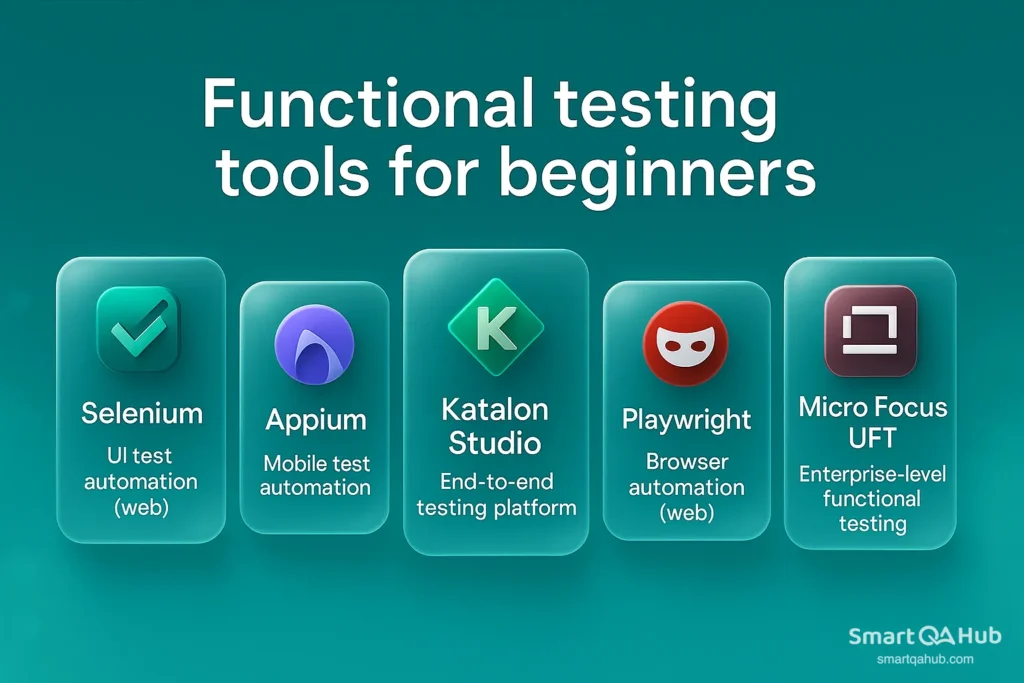
Choosing the right tools for functional testing can feel overwhelming, especially with so many options on the market. From simple browser plugins to full-featured automation platforms, the tools available today support everything from manual test management to complex automated test suites.
As a beginner, you don’t need to know them all. But it helps to get familiar with a few essential ones — especially those widely used in the industry. Here’s a curated list of functional testing tools that stand out for their usefulness, popularity, and flexibility across different types of testing tasks.
1. Selenium
Category: UI test automation (web)
Selenium is one of the most popular open-source frameworks for automating tests in web browsers. It supports multiple programming languages, including Java, Python, and JavaScript, and works with most major browsers. Ideal for automating repetitive browser tasks and running tests across multiple browsers.
Pro tip: Beginners often start with Selenium IDE, a browser plugin with record-and-playback features — no coding required.
2. Appium
Category: Mobile test automation
Appium is a go-to open-source tool for automating tests on mobile apps — whether native, hybrid, or web-based — on both iOS and Android. It supports multiple languages and testing frameworks, making it highly flexible for cross-platform mobile testing.
Good to know: Appium builds on WebDriver (used in Selenium), so if you know one, learning the other is easier.
3. Katalon Studio
Category: End-to-end testing platform
Katalon Studio offers an all-in-one testing solution with support for web, API, desktop, and mobile testing. It includes built-in templates, record-and-playback features, and visual test reporting. Suitable for beginners who want a mix of manual and automation testing with less setup.
Fun fact: Katalon is based on Selenium and Appium but adds a friendly UI and additional features on top.
4. Playwright
Category: Browser automation (web)
Developed by Microsoft, Playwright is a modern automation framework designed for reliable, fast web testing. It supports multiple browsers (Chromium, Firefox, WebKit) and languages (JavaScript, Python, C#, Java). It’s especially known for testing modern web features like single-page apps and dynamic content.
Note: Slightly steeper learning curve than Selenium, but very powerful once you’re comfortable with scripting.
5. Micro Focus UFT (Unified Functional Testing)
Category: Enterprise-level functional testing
UFT is a commercial tool focused on functional and regression testing across web, API, and desktop applications. It offers a full-featured environment for test automation and supports advanced features like object recognition and data-driven testing.
Ideal for: Testers working in large companies with complex systems and enterprise needs.
Supporting tools for manual testers
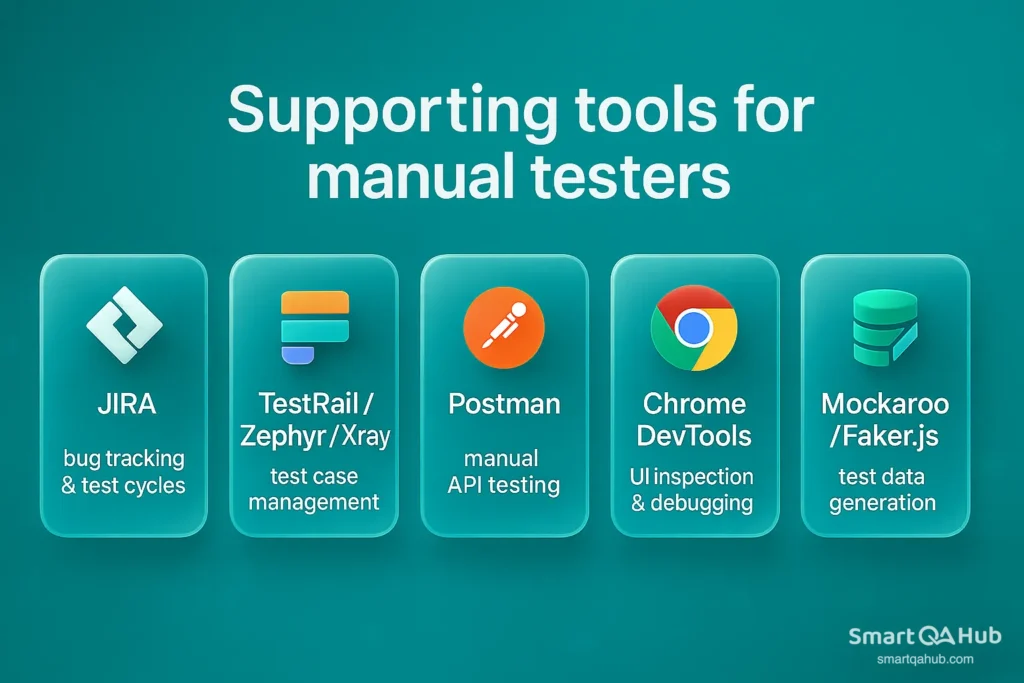
Besides automation tools, there are also helpful platforms to assist with manual testing:
- JIRA – For bug tracking and test cycle management. Learn how to write good bug reports and use filters/dashboards effectively.
- TestRail / Zephyr / Xray – Test case management tools that help you organize, track, and report on your testing progress.
- Postman – A user-friendly tool for manually testing APIs. You can send requests, inspect responses, and automate simple checks.
- Chrome DevTools – Built into your browser, great for inspecting elements, watching network traffic, and debugging UI behavior.
- Mockaroo / Faker.js – Tools for generating fake data for test input.
FAQ: Frequently asked questions about the functional testing
What is functional testing in software testing?
What is the difference between functional and non-functional testing?
Do I need programming skills to do manual and automated functional testing?
Your first steps into the functional testing universum
Functional testing ensures that software behaves as expected — it’s the foundation of software quality. By learning to test from the user’s perspective, design clear test cases, and explore both the expected and unexpected paths, you build real value into the product.
Start small: test a simple feature, write a few test cases, and see what happens. With each bug you catch, you’re not just fixing issues — you’re improving the user experience.
As your skills grow, tools and automation will help you test smarter. But at the core, it’s your curiosity and attention to detail that make you a great tester.
Functional testing will be your trusty companion in delivering software that works flawlessly and delights users.
Sources:
- Powell, Phill & Smalley, Ian. What is Functional Testing? IBM Think Blog, ibm.com
- QA Touch Blog. Functional Testing vs Non-Functional Testing, qatouch.com
- Bamboo Agile. Different Types of Functional Testing Explained in Detail, bambooagile.eu
- GeeksforGeeks. Functional Testing – Software Testing, geeksforgeeks.org
- Global App Testing. Common Challenges in Functional Testing, globalapptesting.com
- The CTO Club. 29 Best Functional Testing Tools in 2025, thectoclub.com


