


Beyond Functionality: Why Non-Functional Testing Deserves Your Attention
 13 MIN
 10 Sep 2025
Non-functional testing often reveals the problems that matter most to users, even when everything seems to work. Picture this: your e-commerce application processes orders flawlessly during testing, but crashes under real customer traffic on Black Friday. Every feature works exactly as designed, yet users abandon their shopping carts because pages take 15 seconds to load.
Table of content
This is the gap non-functional testing fills. Non-functional testing evaluates how well software performs under real-world conditions – how fast, secure, stable, and usable it is for actual users.
Your software might do everything it should, but non functional testing makes sure it runs reliably, securely, and quickly when real users get their hands on it. Non-functional testing assesses quality markers like performance, security, usability, and reliability instead of specific features. This type of testing is a vital part of confirming software reliability and giving users a smooth experience.
What exactly is non-functional testing?
What is non functional testing? Non-functional testing verifies the qualities of software that determine whether an application is truly ready for deployment. It’s not just about whether the functionality works according to the specification, but also about how it works. You test things like:
- whether the system can handle the expected load
- whether it’s protected against security threats
- whether the user interface is clear and quick to navigate
- whether the application can recover after an error or outage
The goal is to increase usability, reduce the risk of production issues, and save costs on later fixes.
Think about apps you’ve used daily. Have you ever abandoned a perfectly functional application because it was frustratingly slow or confusing to navigate? That’s precisely what non functional testing tries to address. That’s where non-functional testing comes in. It doesn’t just ask “Does the feature work?” – it asks “Does the system perform when it really counts?“
Did you know?
According to Google research, 53% of users abandon a mobile site if it takes longer than 3 seconds to load – even if it works perfectly.
Functional and non-functional testing: What’s the difference?
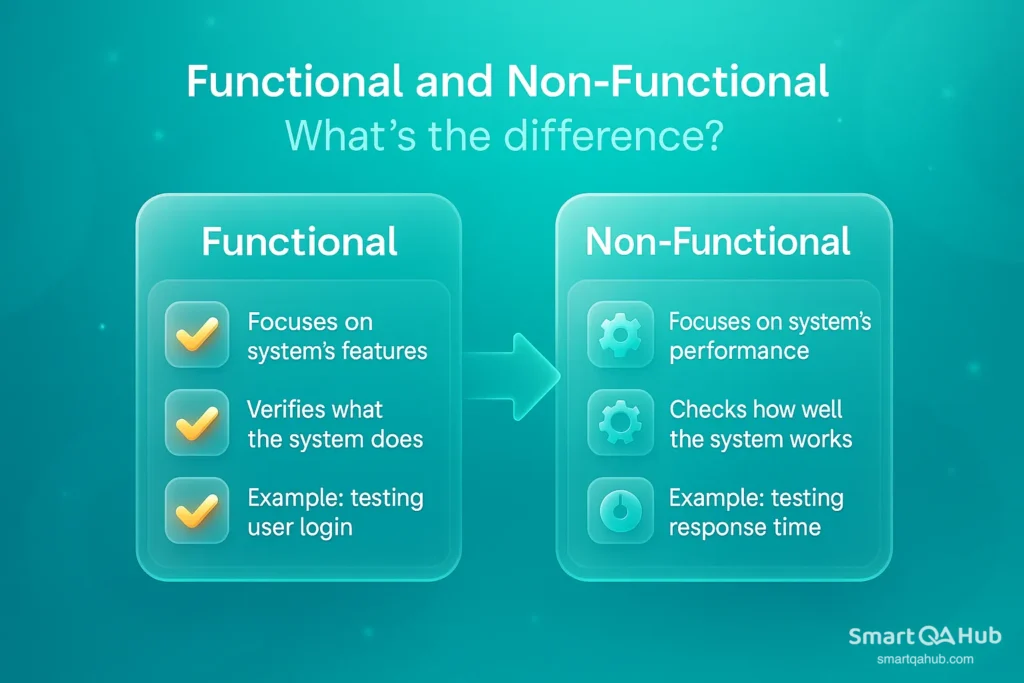
In software testing, the key difference between approaches lies in what they measure. Understanding the distinction between functional and non functional testing procedures helps testers choose the right techniques for their projects.
| Aspect | Functional Testing | Non-Functional Testing |
|---|---|---|
| Main goal | Verify that the software’s features work according to requirements. | Verify quality attributes like performance, security, usability, and reliability. |
| Key question | Does the software do what it’s supposed to do? | How well does the software work under real-world conditions? |
| Focus | The “what” – specific actions and behaviors of the system. | The “how” – speed, security, stability, user experience. |
| Source of tests | Functional requirements, specifications, and user stories. | Non-functional requirements and quality benchmarks. |
| Approach | Provide inputs, check if outputs match expected results. | Measure metrics (time, load, security gaps, usability feedback). |
| Example (banking app) | Money transfer works as specified. | Transfers happen quickly, securely, and reliably during high load. |
| Types | Ad-hoc testing API testing Integration testing Regression testing Sanity testing Smoke testing System testing Unit testing User acceptance testing (UAT). | Performance testing Security testing Usability testing Compatibility testing Reliability testing |
The main difference lies in their focus. Functional tests check specific behaviors, while non-functional testing focuses on quality features that shape user experience and system reliability.
A banking application serves as a good example. Functional testing proves money transfers work, while non-functional testing helps ensure these transfers happen fast (performance), stay secure (security), and work smoothly during busy times (reliability).
Why both software testing types are essential for software quality
Focusing only on functional testing leaves quality gaps. A system may work exactly as intended but still deliver a poor user experience if it’s slow or insecure.
Imagine an online store where every page loads in 10 seconds. All features might work flawlessly, but customers will abandon it due to slow performance – a non-functional issue.
Functional testing and non-functional testing complement each other:
- Functional testing proves the software works correctly.
- Non-functional testing ensures that software works well under real conditions.
Core objectives and key characteristics of non-functional testing
Non-functional testing also builds the foundation for reliable, user-friendly software applications. Unlike functional testing, it goes beyond checking if features work right – by exploring different non functional testing types, this approach shows how well a system performs in everyday conditions and usage patterns.
Improving usability, performance, and security
Non-functional testing usually aims to boost three critical parts of any software system.
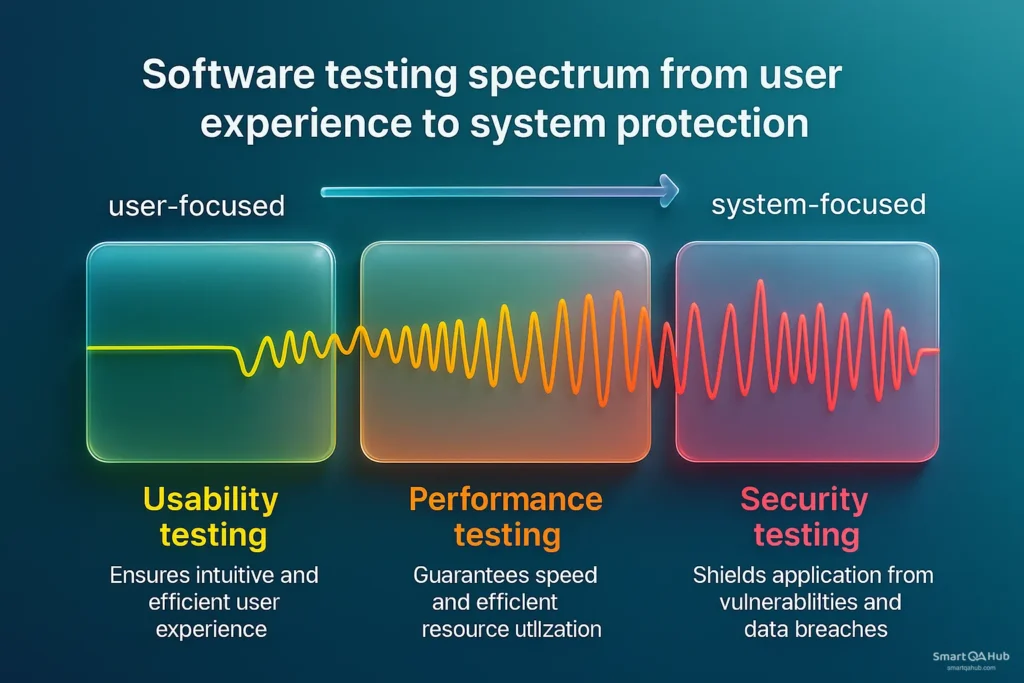
Usability testing – A usable application feels natural from the first click. Navigation should be obvious, layouts clear, and key actions never buried. If users need training just to perform basic tasks, you’ve already lost their trust. Techniques like A/B testing reveal which design choices actually make life easier for real users.
Performance testing measures how quickly a system responds to users and handles heavy workloads. Teams look at response times, throughput, and how resources get used. Think about this: Have you ever left a website because it loaded too slowly? Performance testing stops that from happening.
Security testing protects applications from attacks, both planned and surprise ones, from inside and outside the organization. Teams use testing methods like penetration testing to find weak spots before bad actors can exploit them. This keeps sensitive data safe and helps users trust the system.
Reducing production risk and cost
Non-functional testing is like insurance for your software – catching trouble before it turns into a disaster. Spotting a performance bottleneck or security hole during the software development process costs a fraction of fixing it after launch.
The sooner issues are found, the faster quality assurance can move forward, without last-minute firefighting or costly delays. Plus, these tests generate valuable performance and behavior data. That intel helps teams fine-tune systems and make smarter design choices long before problems ever reach real users.
Ensuring maintainability and scalability
Maintainability testing shows how easily teams can change, update, and improve software over time. Teams want to keep maintenance costs low and reduce system downtime.
Scalability testing matters just as much. It shows if a system can handle more work without breaking down. Good scalability testing proves applications can grow or shrink based on use, keeping things running smoothly as data or users increase.
The testing also looks at efficiency – how well the system uses resources while running. Teams check CPU usage, memory, and network bandwidth to find ways to make things work better.
Several things make non-functional testing work well:
- Quantifiable metrics: Teams need real numbers to measure success, not just saying something is “good” or “better”
- Prioritized requirements: Some non-functional aspects matter more than others, so teams must choose what’s most important
- Environment-specific: Tests must match the actual platforms and conditions where the software will run
- Performance-oriented: Testing always aims to make systems run better under normal and peak loads
Non-functional testing helps teams create software that works well and gives users a great experience. In today’s competitive software world, these qualities often determine if an application succeeds or fails, whatever its features might be.
Key categories of non-functional testing explained
A good grasp of non-functional testing categories helps testers pick the right tests for each situation. Let’s get into these important testing types that go beyond simple functionality to ensure software quality.
Performance testing vs. scalability testing
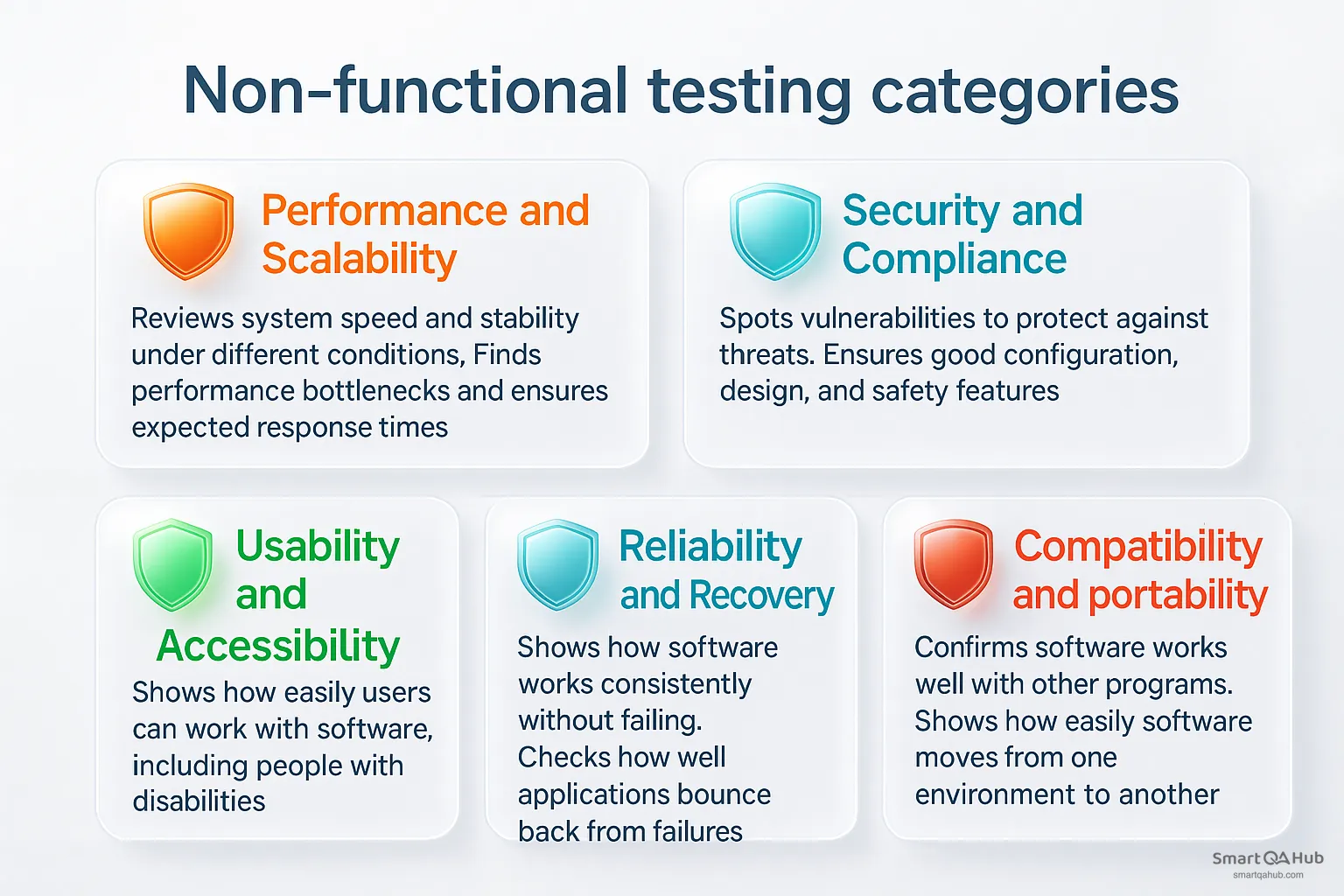
Performance testing reviews a system’s speed, responsiveness, and stability under different conditions. This testing finds and removes anything that slows down performance and confirms the application delivers expected response times.
These are the main performance testing types:
- Load testing – Reviews the system’s capacity to handle predicted user loads
- Stress testing – Challenges the system beyond its designed capacity to find breaking points
- Endurance testing (also called soak testing) – Tests system stability over long periods
Scalability testing, which falls under performance testing, shows how an application handles increasing workloads. It spots potential bottlenecks, improves performance, and gives users a smooth experience during busy periods. Good scalability testing brings better system response times, improved user experience, and affordable resource allocation.
Security testing vs. compliance testing
Security testing identifies and analyzes vulnerabilities in software to protect it against potential threats. This type of software testing makes sure the software has good configuration, design, and safety features.
The main goals of security testing are:
- Protecting sensitive data from unauthorized access
- Finding security gaps and vulnerabilities
- Meeting industry regulations like PCI-DSS
- Building stakeholder trust through certification
Recent reports show data breach costs jumped from $3.86 million in 2020 to $4.24 million in 2021, which shows why thorough security testing matters.
Compliance testing, on the other hand, focuses on verifying that the software meets specific laws, standards, and contractual requirements relevant to the industry or region. While security testing asks “Is the system safe?”, compliance testing asks “Does the system follow the rules?”. This comprehensive testing may include checks against GDPR for data protection, HIPAA for healthcare privacy, or ISO standards for quality and safety. The main aim is not only to avoid legal penalties, but also to demonstrate accountability and transparency to customers, regulators, and partners.
Usability testing vs. accessibility testing
Usability testing shows how easily users can work with and understand software. Teams get feedback from real users who perform actual tasks in the application.
Accessibility testing makes sure everyone can use the software, including people with disabilities. The software should work well for users with vision, hearing, motor, or cognitive challenges. This testing confirms design choices and measures performance while meeting accessibility standards.
Reliability testing vs. recovery testing
Reliability testing shows if software can work consistently without failing in different conditions over long periods. The software should perform well in both expected and unexpected situations.
Recovery testing checks how well applications bounce back from failures, crashes, hardware problems, and similar issues. Testers create problems and simulate failures to see if the software can handle unexpected events without losing data. Recovery testing includes disaster recovery, environment recovery, and database recovery.
Compatibility testing vs. portability testing
Compatibility testing confirms that software works well with other independent programs in the same environment.
Portability testing shows how easily software moves from one environment to another. The ISO 9126 standard lists four main portability testing attributes:
- Installability – Testing installation in the target environment
- Adaptability – Testing software adaptation to different environments
- Replaceability – Testing component replacement options
- Co-existence – Testing how well it works with other software
This knowledge helps testers create detailed testing strategies that look at all aspects of software quality beyond basic functions.
How to measure success: Metrics and parameters
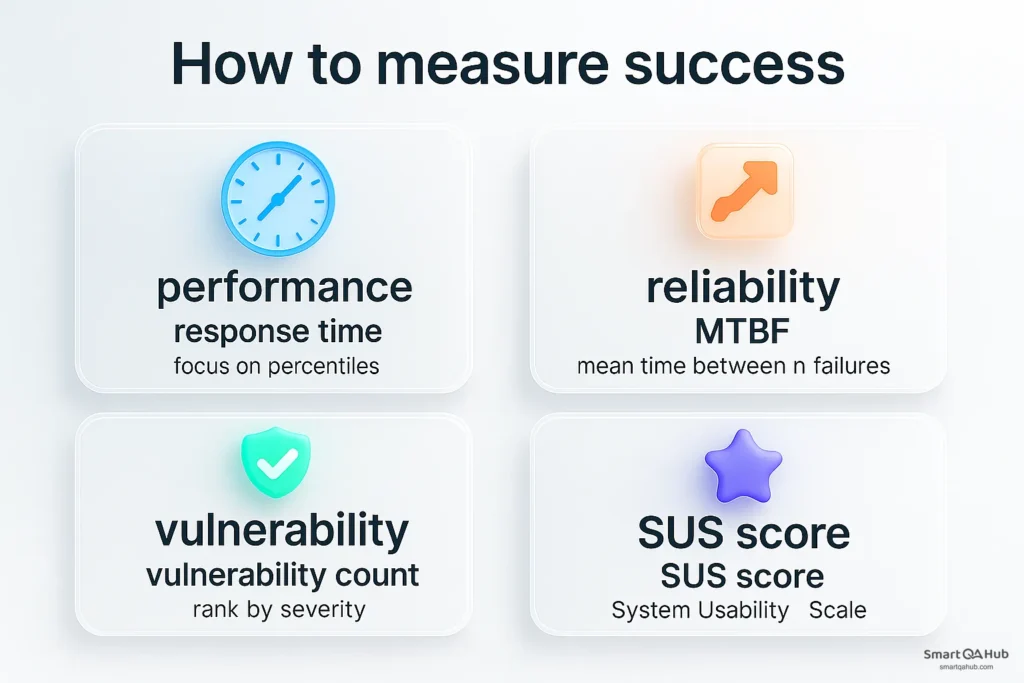
Teams need clear metrics and parameters to measure the success of non-functional testing. These quantifiable measures help teams review system quality beyond core functionality.
Response time, throughput, and resource usage
Response time tells you how fast your system answers user requests. But averages can be misleading – instead, focus on percentiles to capture the experience of most users, including the slowest 5% or 10%.
Throughput shows how many requests your system can handle per second – think of it as your app’s processing horsepower.
And don’t forget resource usage: CPU and memory consumption reveal if your system is working efficiently or gasping for breath. Catch bottlenecks here before they frustrate users.
MTBF and MTTR in reliability testing
Two golden numbers tell you how stable your software really is:
- Mean Time Between Failures (MTBF) measures how long your system runs smoothly before breaking down – higher is always better.
- Mean Time To Repair (MTTR) tracks how quickly you bounce back after a failure – the faster, the better.
Together, these metrics give you a solid view of system uptime and resilience.
Security metrics: vulnerability count and severity
Not all security flaws are equal. The Common Vulnerability Scoring System (CVSS) ranks issues from 0 (low risk) to 10 (critical), so you know what to fix first.
Plus, tracking Mean Time to Detect (MTTD) and how fast you patch vulnerabilities helps measure how sharp your security team really is.
Usability metrics: task success rate and satisfaction
How well do users navigate your app? Task success rate shows the percentage who complete key actions – from logging in to checkout – without a hitch.
Satisfaction scores give you the emotional side:
- The System Usability Scale (SUS) is a quick 10-question survey, where 68 is the average score to beat.
- Customer Satisfaction Score (CSAT) boils down user happiness into a simple percentage.
Teams can objectively measure improvements and prioritize enhancements by tracking these key metrics across different aspects of non-functional testing. This approach leads to optimal user experience.
Best practices and tools for non-functional testing
The backbone of effective non-functional testing relies on choosing the right tools and following proven best practices. Here’s how you can implement these tests in your projects.
Using LoadRunner, JMeter, and Lighthouse
Different aspects become easier with these popular non-functional testing tools:
- LoadRunner excels at mimicking user interactions to measure system behavior under stress. This commercial software solution can simulate thousands of concurrent users, making it perfect for enterprise-level performance testing.
- JMeter provides an open-source alternative to test web applications under load. Teams can create detailed test scenarios without licensing costs because of its highly customizable nature.
- Lighthouse analyzes web application performance and generates reports that show potential performance issues quickly. The tool crawls and analyzes websites continuously and sends email notifications about server errors to teams.
Your project’s budget and required features should guide your tool selection. Many teams now use open-source options to cut down on licensing costs.
Automating tests for continuous feedback
Teams can detect issues early through automated non-functional testing. The exact moment when code changes affect non-functional aspects becomes clear when tests are part of continuous integration pipelines.
Performance testing benefits from automation significantly. Tools can simulate real-life user behavior and find performance flaws before they affect end users. Building a resilient continuous testing model needs both appropriate tests and well-defined processes.
Creating a non-functional test plan
A complete non-functional test plan must include:
- Clear testing objectives and scope
- Detailed approaches for performance, load, stress, and security testing
- Test process, environment specifications, and deliverables
- Assumptions and risks
Everyone involved in testing needs to understand the goals and methods at this stage.
Mapping tests to business goals and SLAs
Business objectives and Service Level Agreements (SLAs) should drive non-functional testing. SLAs document quality standards for products and services, often specifying metrics like 99.9% availability with maximum outage limits.
Business-critical user paths should determine non-functional testing priorities. Understanding key performance indicators and user expectations comes first, and then you can shape your comprehensive software testing strategy.
FAQ: Frequently asked questions about the non-functional testing
What is non-functional testing?
Why is non-functional testing important?
What are the types of non-functional testing?
How is non-functional testing different from functional testing?
What techniques are used for non-functional testing?
Why non-functional testing is worth learning early
Non-functional testing is the quiet engine behind great software. While functional testing checks if a feature works, non functional testing techniques make sure it works well – fast, safe, reliable, and smooth for the user.
As a junior tester, getting comfortable with non functional testing techniques is a smart move. It helps you see the full picture – not just whether something works, but whether it works in a way users will love.
Let’s face it, users remember applications that work seamlessly, not just correctly. They don’t think in categories like “functional” or “non-functional.” They just know when software feels right.Your job is to make sure it does. Your role as a tester is to bring both parts together – function and experience – so the product doesn’t just work. It excels.


