


Regression Testing: Your Safety Net Against Software Chaos

 10 MIN
 20 Jan 2026
Regression testing is one of those concepts that sounds more complicated than it actually is. In simple terms, it’s how software teams make sure that yesterday’s working features still work today – even after changes. This guide breaks down exactly what regression testing means, why it’s such a big deal in QA, and how you can start applying these techniques in your own projects.
Table of content
Whether you’re preparing for your first testing role or just trying to understand what your senior colleagues keep talking about, you’ll walk away with practical knowledge you can use immediately.
What is regression testing and why should you care?
Let’s start with the regression testing definition that actually makes sense. Imagine you’re fixing a leaky faucet in your kitchen. You tighten one pipe, problem solved. But then you notice water dripping from under the sink – your fix accidentally loosened something else. Software works the same way. Every time developers change code, there’s a chance that something previously working might break.
Regression testing is the practice of re-running tests on existing functionality after code changes to confirm nothing has “regressed” to a broken state. The word “regression” here doesn’t mean anything mathematical. In software testing, it simply means “a step backwards” – when something that used to work no longer does.
Why old features break more often than new ones
Here’s the thing that surprises many beginners: most bugs in production aren’t from new features failing. They’re from old features breaking because of changes elsewhere in the system. A 2023 study by Capgemini found that organizations spend approximately 35% of their testing efforts on regression testing alone. That number tells you just how critical this practice is.
Think about your favorite app. Maybe it’s a banking application or a food delivery service. These apps receive updates constantly – new features, security patches, performance improvements. Without regression testing, every update would be a gamble. Would the login still work? Would your payment go through? Would your order history display correctly? Regression testing answers these questions before users ever encounter problems.
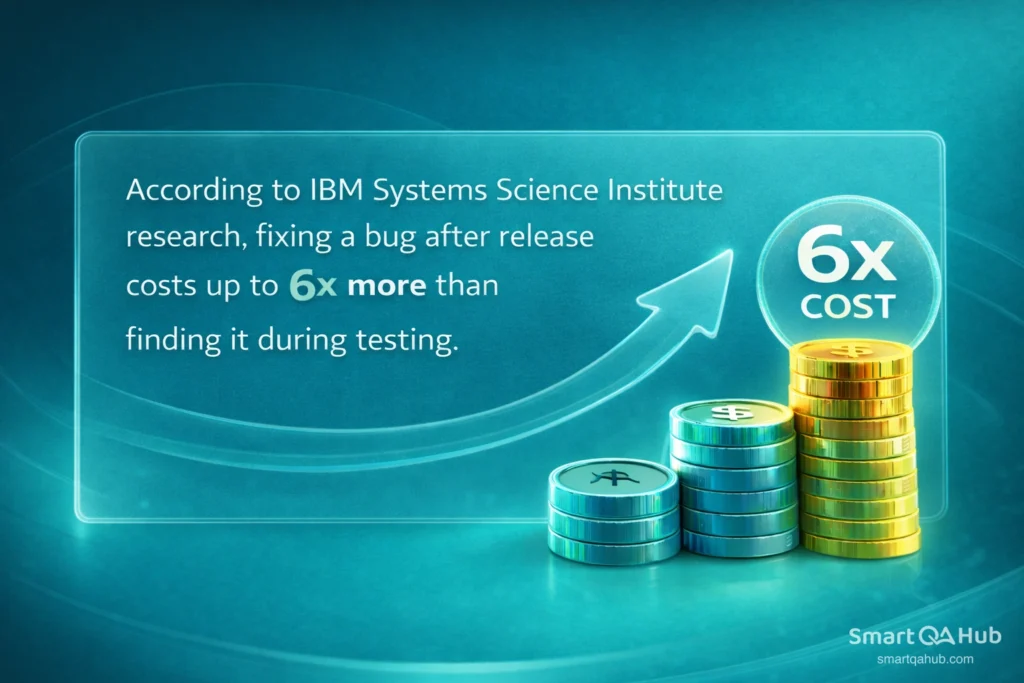
The importance of regression testing becomes clearer when you consider the cost of bugs. For bugs discovered in production, that multiplier jumps even higher. Regression testing acts as a safety net, catching issues early when they’re cheap and easy to fix.
Regression testing vs retesting – Clearing up the confusion
One of the most common questions beginners ask is about retesting and regression testing. Are they the same thing? The short answer: no, but they’re related.
Retesting is straightforward. When a developer fixes a specific bug, you test that exact bug again to confirm the fix worked. You’re checking whether a known defect has been resolved. Retesting is narrow and focused.
Regression testing has a broader scope. After that bug fix, you also check whether the fix accidentally broke something else. Maybe the login works now, but did fixing it somehow affect the password reset feature?
Here’s a practical example of regression testing. Imagine an e-commerce site where the search function wasn’t returning accurate results. The development team fixes the search algorithm. Retesting means checking whether searches now return correct products. Regression testing means also verifying that the shopping cart still works, filters still function, and product pages still load properly – because all these features interact with search functionality.
| Aspect | Retesting | Regression testing |
|---|---|---|
| Purpose | Verify specific bug fix | Ensure changes didn’t break existing features |
| Scope | Narrow (specific defect) | Broad (related functionality) |
| Test cases | Same tests that found the bug | Previously passing test cases |
| When performed | After defect is fixed | After any code change |
Both practices are essential and often happen together. They’re complementary, not competing approaches.
Different types of regression testing you’ll actually encounter
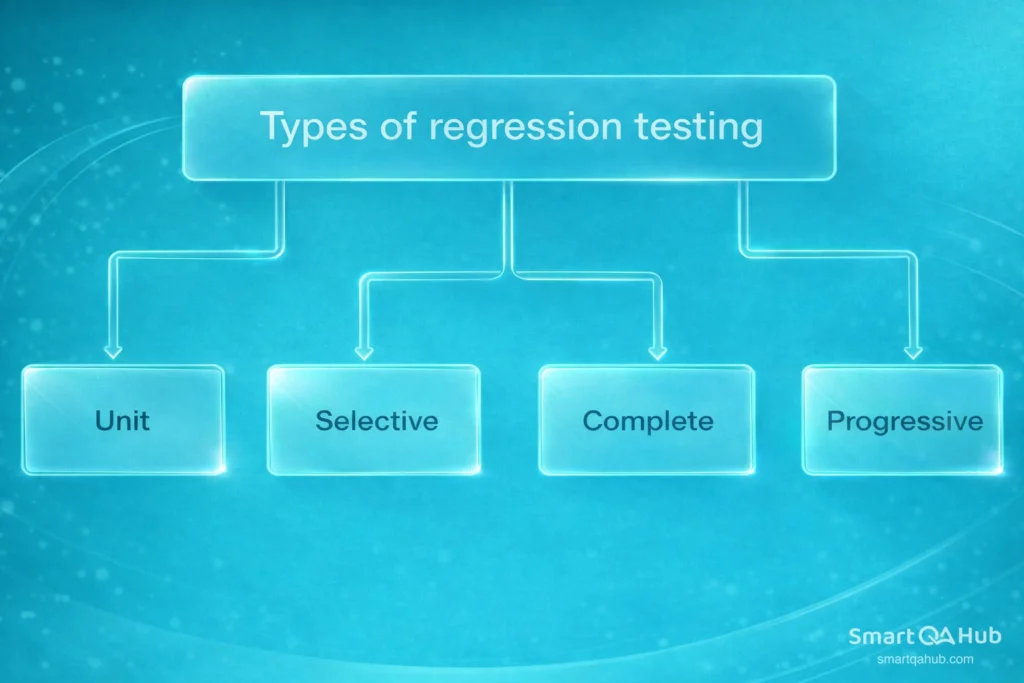
Not all regression testing looks the same. Depending on what changed, how much time you have, and what risks you’re managing, you’ll use different approaches.
Unit regression testing happens at the smallest level – individual components or modules. When a developer modifies a specific function, unit regression tests verify that function still behaves correctly. These tests are typically automated and run quickly.
Selective regression testing focuses only on the areas affected by recent changes. Complete regression testing of an entire application takes time – sometimes days for large systems. Selective testing requires understanding how different parts of the application connect. If the payment processing code changed, you’d focus on checkout and order confirmation – not necessarily on user profile settings.
The key to doing this well is impact analysis. Before running tests, you identify which modules interact with the changed code. This saves time while still catching the most likely problems.
Complete regression testing runs the entire test suite across all application features. This typically happens before major releases or when migrating to new platforms. It takes longer, but for critical releases, complete regression testing provides the highest confidence.
Progressive regression testing happens continuously as new features are built. Every time new code merges into the main codebase, progressive regression tests run automatically. This approach catches problems early and is especially common in agile environments.
How regression testing works in practice
Let’s walk through how software regression testing actually happens in a real project, step by step.
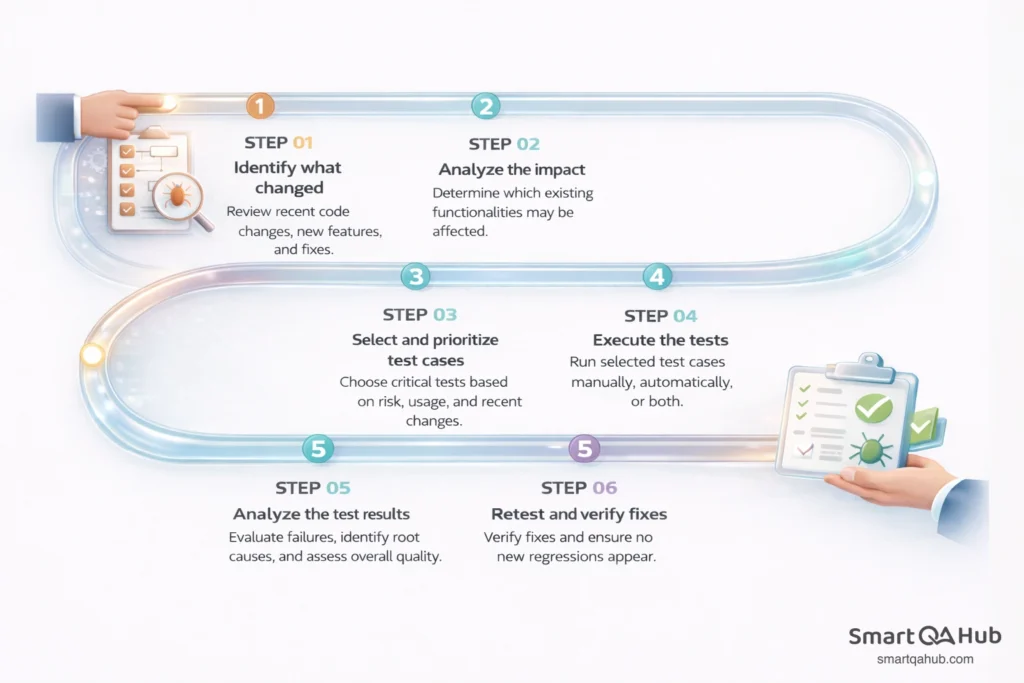
Step 1: Identify what changed
Every regression testing cycle starts with understanding the changes. What code was modified? What features were added? This information comes from version control systems or direct communication with developers.
Step 2: Analyze the impact
Figure out which existing features might be affected. A change to user authentication could potentially impact any feature that checks user permissions. Over time, you’ll develop intuition about which changes carry higher risk.
Step 3: Select and prioritize test cases
Not every test has equal importance. A test verifying that users can complete purchases matters more than a test checking font colors. Common prioritization factors include business criticality, frequency of use, historical problem areas, and proximity to recent changes.
Step 4: Execute the tests
Run the selected tests – manual, automated, or combined. Document results carefully, including any unexpected behaviors observed.
Step 5: Analyze results and report
When tests fail, investigate whether it’s a genuine regression. Defects get reported to developers with clear reproduction steps, expected results, and actual results.
Step 6: Retest and verify
After developers fix discovered regressions, verify the fixes – which might trigger another round of regression testing if fixes were substantial.
Regression testing example:
Let’s say developers optimized the shopping cart to load faster. Regression testing might cover adding and removing items, quantity calculations, discount codes, cart persistence across sessions, checkout flow, and payment processing. The optimization seems simple, but it touches numerous connected features.
Manual vs automated regression testing
If you’ve looked into quality assurance regression testing, you’ve heard debates about manual versus automated testing. Both have their place.
Manual regression testing involves testers personally executing test cases and observing behaviors. It’s slower but offers flexibility. Human testers notice things automation might miss – strange visual glitches or confusing user experiences that technically “pass” but feel wrong. Manual testing works well when you’re testing new, unstable features, when the user interface changes frequently, or when test automation would cost more than it saves.
Automated regression testing uses scripts and tools to run tests without human intervention. Once set up, automated tests execute quickly and consistently. They don’t get tired and can run overnight. Automation shines when tests need to run frequently, test cases are stable and well-defined, or you’re testing across multiple browsers and devices.
| Factor | Manual testing | Automated testing |
|---|---|---|
| Speed | Slower | Much faster |
| Initial investment | Lower | Higher |
| Flexibility | High | Limited to scripted scenarios |
| Best for | Exploratory, UX, new features | Repetitive, stable, frequent tests |
Most teams use a hybrid approach. Core functionality that rarely changes gets automated. New features get manual attention. As features stabilize, their tests gradually move toward automation.
For beginners: learn manual testing fundamentals first. Understanding what makes good test cases matters regardless of whether tests are manual or automated.
Regression testing in agile environments
If you’re entering testing today, you’ll almost certainly work in an agile environment. Agile means frequent releases, continuous changes, and tight collaboration. This makes regression testing in agile a crucial question.
- In traditional development, teams might release software quarterly. Agile teams often release weekly, sometimes daily. Regression testing must keep pace.
- Agile regression testing integrates testing into the development rhythm. Rather than a separate phase at the end, testing happens continuously throughout each sprint.
- Most agile teams use continuous integration (CI) – automatically building and testing code whenever changes are committed. Regression tests become part of this automated pipeline. Every time a developer submits code, automated regression tests run within minutes. If something breaks, the team knows immediately.
- Practical regression testing in agile looks like this: during the sprint, automated tests run with every code commit. At the end of the sprint, more comprehensive testing happens before release. Before major releases, full regression test suites run.
- Why regression testing matters even more in agile comes down to frequency. With releases happening so often, opportunities for regressions multiply. Strong regression testing practices protect the team from accumulating problems.
Why regression testing is worth your time
Let’s be honest -regression testing isn’t the most exciting part of QA. Running the same tests again and again after every change? It can feel repetitive. But here’s the thing: the teams that skip or shortcut regression testing always regret it later. The advantages of regression testing become crystal clear the first time a “small fix” takes down production.
- It’s cheaper to catch bugs early. This isn’t just theory. A regression bug discovered during testing might take an hour to resolve. The same bug found by angry customers in production? Emergency hotfixes, customer support queues, potential revenue loss, and a very stressful weekend for someone. Regression testing is essentially insurance – boring until you need it.
- You can actually sleep before releases. Without regression testing, every deployment feels like pulling the lever on a slot machine. Will it work? Will something critical break? With solid regression testing in place, that anxiety fades. Teams release updates knowing that existing functionality has been verified. This confidence translates to faster release cycles and fewer 2 AM incident calls.
- It makes bold improvements possible. Want to refactor that ugly legacy code everyone’s afraid to touch? Optimize database queries? Upgrade to a new framework? Regression testing makes these improvements safer. You can be ambitious with changes because you have a safety net that catches unintended side effects.
- Quality compounds over time. Small bugs that slip through tend to snowball. One undetected regression leads to workarounds, which lead to more complex code, which leads to more potential regressions. Regular regression testing breaks this cycle. Teams with strong regression practices build applications that genuinely feel solid – and users notice the difference.
- It documents how things should work. A well-maintained regression test suite is living documentation. New team member wondering how the checkout flow is supposed to behave? The tests show exactly that. This becomes invaluable as teams grow and original developers move on.
Common mistakes to avoid in regression testing
Every tester makes mistakes early in their career. Here are pitfalls that trip up many beginners.
- Treating all tests as equally important. Testing a critical payment flow matters more than testing a color scheme. Learn to ask: “What would hurt users most if this broke?”
- Ignoring test maintenance. Applications change, and tests must change with them. Outdated tests produce false failures or false passes. Schedule regular test maintenance.
- Testing everything every time. Running every test after every small change wastes time. Smart regression testing targets affected areas first.
- Skipping impact analysis. Jumping straight to test execution without understanding what changed leads to inefficient testing.
- Poor communication with developers. Vague bug reports like “checkout is broken” waste everyone’s time. Detailed reports with exact steps and expected results get issues resolved faster.
Key terminology
Test suite (collection of test cases), regression bug (previously working functionality that stops working), impact analysis (identifying what might be affected by changes), test coverage (extent to which test cases address functionality).
For learning more, ISTQB (International Software Testing Qualifications Board) offers excellent foundational resources with industry-standard knowledge that employers recognize.
FAQ: Frequently asked questions about regression testing
Who does regression testing?
How often should regression testing be done?
Can I perform regression testing without test automation tools?
What’s the difference between regression testing and smoke testing?
Start thinking like a regression tester today
Regression testing keeps software stable by verifying that changes don’t break existing functionality. It’s not glamorous work, but it’s essential – catching problems before users encounter them saves time, money, and reputation. As a beginner, focus on understanding the fundamentals: what regression testing means, when it’s needed, how to prioritize regression test cases, and how to communicate findings effectively. These skills transfer regardless of which testing tools or methodologies your future team uses.
Your next step? Look at any application you use regularly. Think about what might break if developers changed the login system or the checkout process. That kind of thinking – anticipating how changes create risks – is the foundation of effective regression testing.


